
Blanking on a Math Problem Past Midnight? Here's What Your Camera Can Actually Do About It
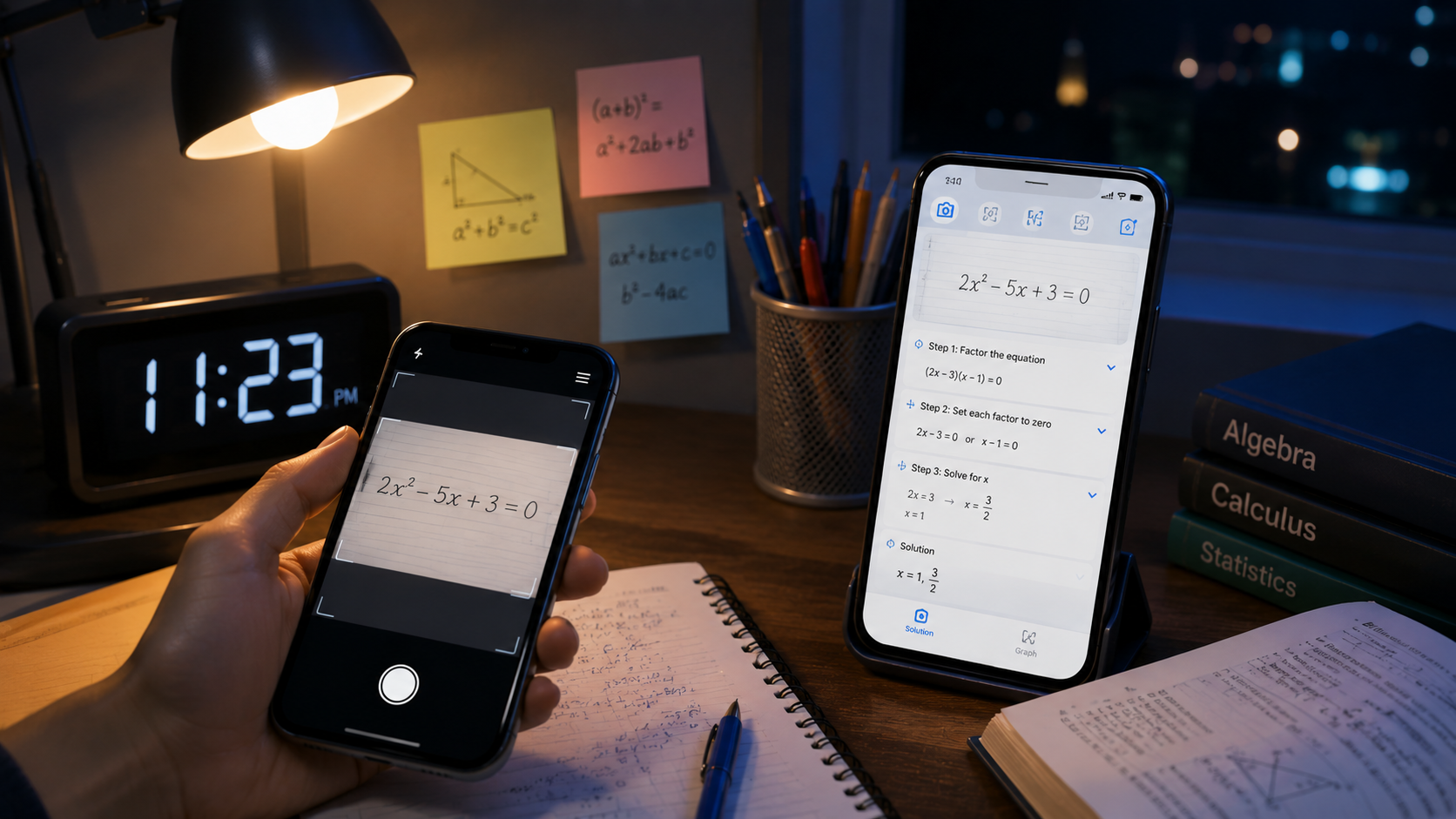
AI Math Scanner turns your phone's camera into a math-solving tool that reads equations right off the page and walks through the full solution, covering everything from basic arithmetic to algebra, no internet connection needed.
Get this app
About this app
It's late, the textbook's example problem doesn't line up with the actual homework question, and rereading that same paragraph on quadratic equations for the fourth time still isn't clicking. This is precisely when a camera-based math solver earns its spot on your phone. Aim the camera at the page, and instead of hitting another dead end, you get a full walkthrough of how to actually get from the question to the answer.
What It Handles
- Camera-based problem scanning - photograph an equation on paper or on a screen and have it read and solved without typing a single character.
- Step-by-step working - problems get broken into stages rather than delivered as one final number, which is what actually helps the method stick.
- Offline solving - a dead signal in class or on a train doesn't stop it from working, since basic problems don't require a live connection.
- A built-in scientific calculator with graphing - beyond the scanner, there's a calculator for tables and graphs whenever you need to see a function plotted rather than just computed.
- A range of topics - arithmetic, algebra, percentages, EMI and interest calculations, so the coverage goes well beyond standard textbook math.
How the Scanner Actually Gets to an Answer
Point the camera at a printed or handwritten equation, and rather than just spitting out a final answer, the app reads it and walks through the steps that led there. That distinction is the whole point - a bare number with no working shown doesn't teach anyone the method, it just clears tonight's assignment and leaves you stuck again next week. The step-by-step breakdown is really what this kind of tool is for, not the answer on its own.
- Frame the problem - line the equation up in the viewfinder, ideally on a flat surface under decent lighting.
- Let it read the text - the app converts handwriting or print into a recognized expression before it attempts anything else.
- Confirm what got captured - a quick check that the scanned equation matches what's actually on the page, since one misread symbol throws off everything after it.
- Work through the steps, not just the result - each stage of the solution shows up in order, so the method stays visible instead of hidden.
- Cross-check with the calculator or grapher - for anything involving a function or a table, the built-in tools let you see it plotted rather than just crunched.
Where It Shines, and Where It Struggles
| Situation | How It Holds Up |
|---|---|
| Clean, well-lit handwriting or printed text | Reads reliably and solves correctly |
| Messy handwriting or an angled photo | Recognition gets shaky - retake the photo straight-on |
| Basic arithmetic and percentages | Fast, offline, no fuss |
| Algebra and equation solving | Full step-by-step breakdown, not just a final number |
| Graphing a function | Handled by the built-in scientific calculator, separate from the scanner |
| Advanced or research-level math | Outside what this is built for |
Who It Was Actually Built For
This is genuinely aimed at students plowing through homework, not professionals hunting for a research-grade solver, and the free tier bundles ads with in-app purchases for the more advanced features. It's rated for everyone, which tracks given it's clearly built with school-age users in mind. One expectation worth setting early: camera-based scanning handles clean, well-lit handwriting and printed text much better than a messy scrawl shot at an angle, so keeping your hand steady while photographing matters more than you'd think.
Squeezing the Most Out of It
- Shoot on a flat, well-lit surface - shadows and glare are the usual culprits behind a scan misreading a symbol.
- Hold the camera parallel to the page - an angled shot warps the equation just enough to trip up recognition.
- Read the steps before jumping to the answer - skipping straight to the bottom line undermines the entire point of a tool built around showing its work.
- Use the calculator for anything graph-related - the scanner is meant for reading equations off a page, not for exploring how a function behaves.
- Treat it as a check rather than a shortcut - work the problem first, then scan to confirm; retention holds up far better that way than in reverse.
Used as intended - checking your own work, or getting unstuck on a single step rather than jumping straight to the answer - it's a fair stand-in for waiting until the next class to flag down a teacher. Used purely to bypass the thinking, it'll finish the assignment and teach you nothing, but that outcome is on the user, not the app.
A Sensible Way to Fold It Into Actual Studying
The habit that pays off is treating the scanner as a second opinion, not a first move. Attempt the problem on paper first, even a wrong or half-finished attempt, then scan it and compare your working against the step-by-step breakdown. That sequence matters more than it might seem - measuring your own reasoning against a correct method is what actually teaches the method, while scanning cold and reading off the answer teaches nothing beyond how to operate the app. The gap in real learning between those two approaches is substantial, even though both technically count as 'using' the same tool.
A Quick Gut Check Before Trusting a Scanned Result
- Reread the confirmed equation against the original page once more before accepting the steps - one misread digit or sign changes the whole solution.
- On a multi-step algebra problem, make sure the first step or two actually make sense to you before trusting the rest, since an early error in a chain of steps ruins everything that follows.
- If a result looks obviously off given the question (say, a negative answer where only a positive one makes sense), treat that as a cue to recheck the scan, not the math.