
AI Note-Taking Apps That Actually Cut Down Your Meeting Time
AI meeting-notes tools claim they'll free you from typing during calls - here's what they genuinely nail, where a human still needs to double-check, and how to properly test one before trusting it.
Key Takeaways
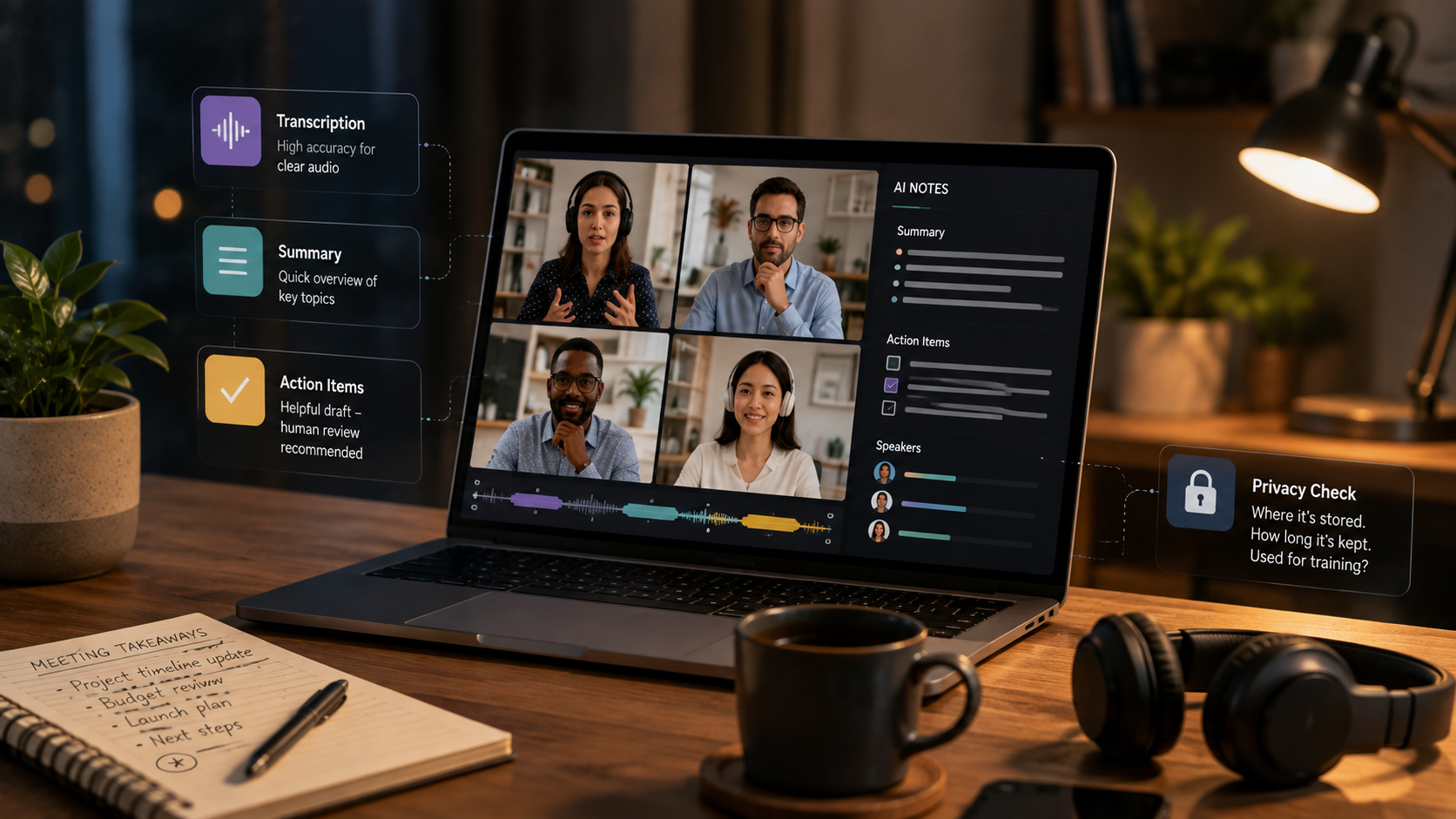
- These tools nail transcription and a rough summary consistently - action-item extraction still needs a human skim before you take it at face value.
- Speaker attribution gets noticeably worse with overlapping speech or poor audio quality - worth stress-testing specifically before you rely on it for accountability.
- Find out where the recording and transcript live, and for how long, before you use one on anything sensitive - this is a genuine privacy question, not paperwork.
About this app
The sales pitch is straightforward: the bot sits in on your call, quietly transcribes everything, then hands you a clean summary and action items afterward so you can actually pay attention instead of scribbling notes. That pitch holds up more than it doesn't. There are still a handful of specific caveats worth knowing before you lean on one for anything with real stakes.
Here's where they genuinely deliver: raw transcription (turning spoken audio into searchable text, generally accurate for clear speech in a common language), a topic-level summary you can skim for a quick refresher, and the ability to search back across months of old meetings for one specific thing somebody said - something that was basically impossible before this wave of tools showed up.
What's Actually Happening Under the Hood
Most of these tools follow the same basic architecture: a bot joins the call as a participant (or a lightweight desktop app grabs system audio directly), streams that audio to a speech-to-text model in close to real time, then runs a second pass - typically a large language model - over the resulting transcript to write a summary, pull out decisions, and flag anything that reads like an action item. That two-step pipeline is the key to understanding both where these tools shine and where they quietly slip up: transcription is a mature, largely solved problem, but summarization involves interpretation, and interpretation is exactly where errors sneak in.
The Parts a Human Still Has to Verify
Action items top the list - a tool can easily miss something said in passing, or pin it on the wrong person, so scan the raw transcript for anything decision-critical instead of trusting the generated list blindly. Speaker attribution is the second weak spot: it degrades noticeably with overlapping voices, similar-sounding speakers, or rough audio, and getting that wrong on something tied to accountability is a real problem, not a shrug-worthy glitch. And nuance gets steamrolled constantly - sarcasm, a hedged "maybe we should," anything that depends on context tends to land as an overly literal bullet point that missed the point entirely.
- Casual commitments: "I'll probably get to that" often ends up logged as a firm action item with a name attached, when nobody actually agreed to it.
- Crosstalk and interruptions: two people talking at once is exactly where transcription errors and wrong attributions pile up.
- Technical or domain vocabulary: product codenames, acronyms, and industry-specific terms get mangled far more than plain conversational speech does.
- Numbers and dates spoken aloud: figures, deadlines, and budget amounts mentioned verbally are worth verifying against the transcript directly, not just the summary.
The Privacy Question That Genuinely Deserves Five Minutes
Before turning one of these loose on anything involving sensitive business, legal, or personal information, find out specifically where the recordings and transcripts are stored, for how long, and whether any of it feeds back into training the underlying model. This varies meaningfully from tool to tool, and it's a five-minute read of the actual privacy policy rather than something you should just assume.
A Simple Way to Test One Before Committing
- Choose a real meeting, not a demo call: test it on something with genuine crosstalk, at least one clearly stated action item, and some casual side chatter.
- Read the transcript before the summary: confirm the raw transcript is accurate first, then judge the AI summary layered on top of it.
- Match the action-item list against your own notes: anything it missed or got wrong tells you exactly how much post-meeting review you'll still need going forward.
- Look at the sharing and storage defaults: confirm who else on the call can see the transcript automatically, and change it if that's wider than you're comfortable with.
- Run it on something recurring, not a one-off: the real payoff shows up once you can search back across weeks of past discussions, not from a single test call.
Comparing the Common Setups
| Approach | Best for | Main trade-off |
|---|---|---|
| Bot joins the call as a participant | Video calls across multiple platforms | Visible to everyone on the call, needs explicit consent |
| Desktop app captures system audio | In-person meetings or calls without a bot option | Only works on the device it is installed on |
| Built into the video-call platform itself | Teams already standardized on one platform | Locked to that one tool, less portable across calls |
One honest note about timing: the payoff compounds across recurring meetings, not a single call. If you only have one meeting available to test with, pick one that has a bit of crosstalk and at least one clearly stated action item, then measure the output against your own memory of what happened. That one test tells you more than any feature comparison would.
A Habit Worth Adopting Once the Tool Has Earned Your Trust
Once a tool has proven itself across a handful of real meetings, the highest-value habit isn't reading every transcript top to bottom - it's spending thirty seconds at the end of each call confirming the action-item list matches what you remember agreeing to, since that's the one piece of output with the biggest downstream consequences if it's wrong. Treat the full transcript as a searchable archive to dip into when a specific question comes up later, not something to proofread after every single call - doing that undercuts the entire time-saving point of using the tool.
Frequently Asked Questions
Do I need to tell people on the call that an AI note-taker is recording?
Yes - it's good practice regardless, and in a lot of places it's a legal requirement tied to recording consent. Check the consent rules that apply where you are, on top of whatever disclosure feature the tool itself offers.
Can one of these completely replace a dedicated notetaker for high-stakes meetings?
For routine meetings, pretty much. For anything carrying real legal or financial weight, treat the AI output as a solid first draft that a person still reviews and signs off on, not the final record by itself.