
Do AI Scheduling and Calendar Tools Actually Save You Time?
AI scheduling assistants claim they'll end the endless back-and-forth of finding a meeting slot. Here's an honest look at where that claim checks out and where it doesn't.
Key Takeaways
- AI scheduling genuinely wipes out the back-and-forth for external meetings - people who can't see into your calendar to begin with.
- Scheduling within a team that already shares calendar visibility was already quick, so the time saved there is smaller than the sales pitch implies.
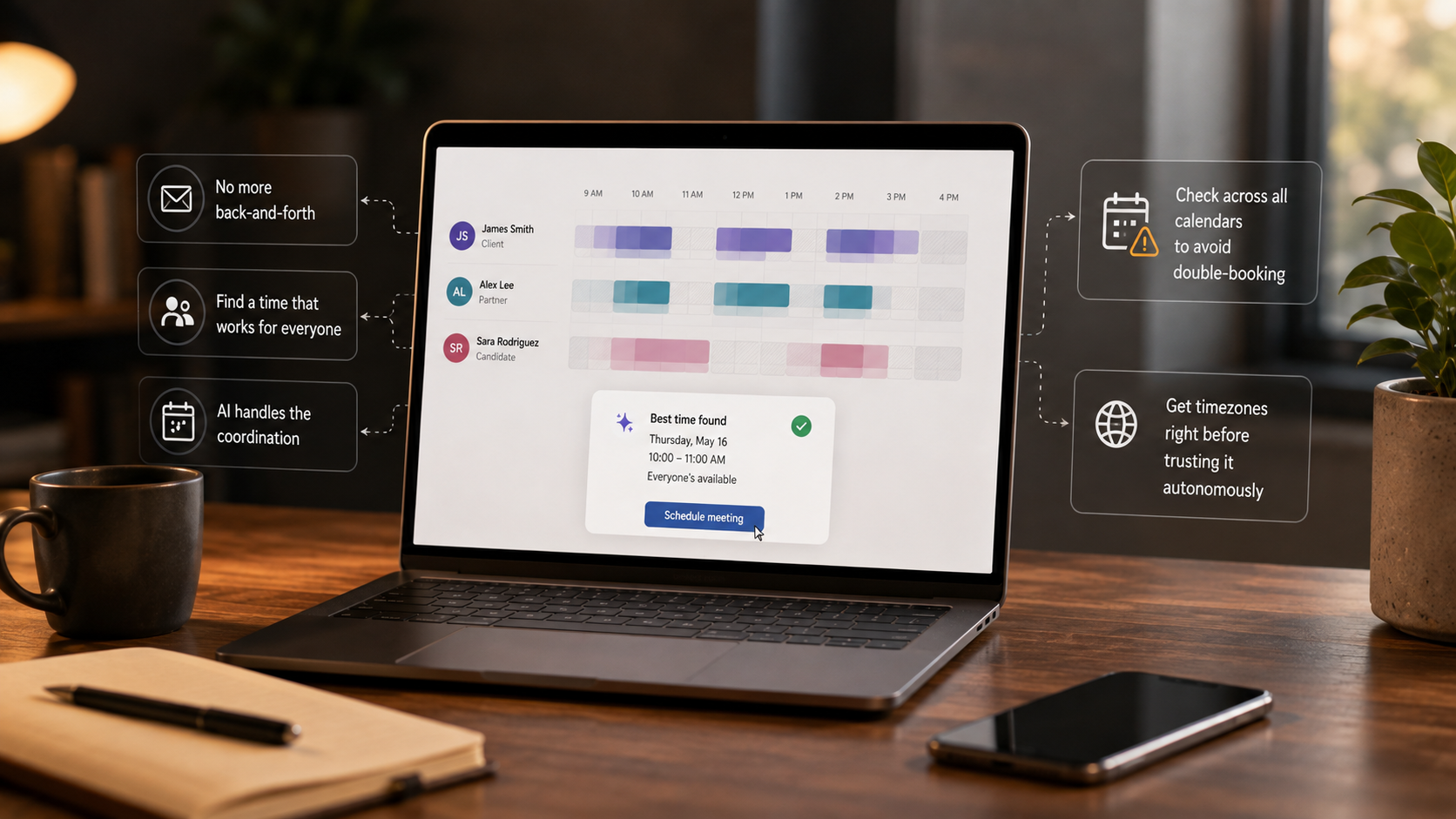
- Double-booking across connected calendars and timezone handling are the two failure points worth deliberately testing before you trust a tool unsupervised.
About this app
"Just let AI find a time that works for everyone" is a genuinely tempting pitch if you've ever burned through six emails trying to pin down one meeting slot. Whether it actually delivers, though, depends heavily on who you're scheduling with, how many calendars are in play, and how much patience you have for a tool that needs a couple of weeks to learn your habits.
The clearest payoff shows up when scheduling with people outside your organization - clients, candidates, partners with zero visibility into your calendar. A scheduling link, or an AI assistant coordinating directly, wipes out that classic multi-email back-and-forth almost entirely, and that's genuinely where these tools earn their keep. Scheduling inside a team that already shares calendar visibility is a different story - it was already fast, since everyone can see open slots already, so layering AI on top adds convenience rather than recovering real time.
What's Actually Going On Behind the Scenes
Under the hood, most AI scheduling assistants handle three jobs: reading free/busy data across every calendar you've connected, applying a set of rules you've defined (or that it has picked up on its own) about when you're open to meeting, and then either proposing slots to the other party or booking directly. The 'AI' part mostly shows up in the negotiating - parsing an email that says 'sometime next week works' and turning that into an actual proposed time, or handling a reply that pushes back on a suggested slot. None of it is magic; it's pattern matching against your calendar plus a language model running the conversational layer.
The Adjustment Period the Marketing Skips Over
These tools have to learn your actual preferences - buffer time, protected focus blocks, which meeting types you can tolerate stacked back-to-back - before their suggestions start feeling right. Expect the first week or two of output to need manual correcting while it calibrates to how you actually want your days shaped. Skipping the setup and just running on default settings is the single biggest reason people conclude these tools 'don't work' - the defaults are rarely tuned to how any particular person actually wants to spend a day.
- Buffer time: Set minimum gaps between meetings, or you'll wind up with back-to-back calls and zero room to prepare or decompress.
- Protected blocks: Mark focus time, lunch, and any recurring commitment as unavailable rather than just 'busy' - some tools treat soft holds differently from hard blocks.
- Meeting type limits: Cap how many calls of a given type can land in one day if that's a real constraint for you - the tool won't infer this on its own.
- Working hours per calendar: If you're juggling multiple calendars across different roles, make sure each has its own working-hours rule instead of one blanket setting.
Two Things Worth Testing Before Trusting It Unsupervised
If you're running multiple calendars - work, personal, a shared team one - confirm the tool is actually checking all of them before it books anything; double-booking across connected calendars is a real failure mode, not a hypothetical one. And explicitly test timezone handling with someone in a different zone before relying on it for cross-timezone scheduling - this turns out to be a surprisingly common source of errors that only shows up once you actually stress-test it.
- 1. Connect every calendar you actually use, not just your main work one, and confirm each shows up in its availability check.
- 2. Book a test meeting with someone in a different timezone and confirm the proposed times land correctly on both ends.
- 3. Deliberately double-book a slot on a secondary calendar and check whether the tool still offers that time to someone else.
- 4. Send it a vague scheduling email ("sometime next week") and see whether the proposed slots actually honor your stated preferences.
Where the Real Time Savings Come From
| Scenario | Manual back-and-forth | With AI scheduling |
|---|---|---|
| External client meeting | Multiple emails to land one slot | One link or one AI-handled thread |
| Internal team meeting | Already fast with shared calendars | Marginal convenience gain |
| Cross-timezone coordination | Manual timezone math, frequent errors | Automated, but needs verification |
| Recurring 1:1s | Set once, rarely renegotiated | Little difference either way |
If a meaningful share of your scheduling crosses organizations or timezones, these tools tend to pay for themselves quickly. If almost everything you book is internal, with people who can already see your calendar, the upgrade buys polish more than real time back. The honest way to decide is tracking a week of your own scheduling first - count how many of those meetings involved someone outside your calendar visibility - before assuming the tool delivers the hours the marketing promises.
What a Fair Trial Period Actually Looks Like
Given the adjustment period involved, a fair trial isn't a single day - it's more like two to three weeks of real use, with the first week spent correcting bad suggestions and dialing in the settings governing buffer time and protected blocks. Judging a scheduling tool off one rough day, before it's had any chance to calibrate to your actual preferences, is the most common way people write off a tool that would've worked fine given a proper adjustment window.
Frequently Asked Questions
Could an AI scheduler book something without me approving it first?
It depends on the tool and how you've set it up - some default to fully autonomous booking, others wait for your confirmation before locking anything in. Worth checking this setting specifically if you don't want meetings showing up with no review step.
Is it worth adopting if I only have a handful of meetings a week?
Probably not - the time saved scales with volume, and with how often you're coordinating with people outside your calendar visibility. At low meeting volume, the setup and adjustment period may cost more than it saves.