
You've Got a Reel Idea and Zero Editing Skills - Here's the Workaround
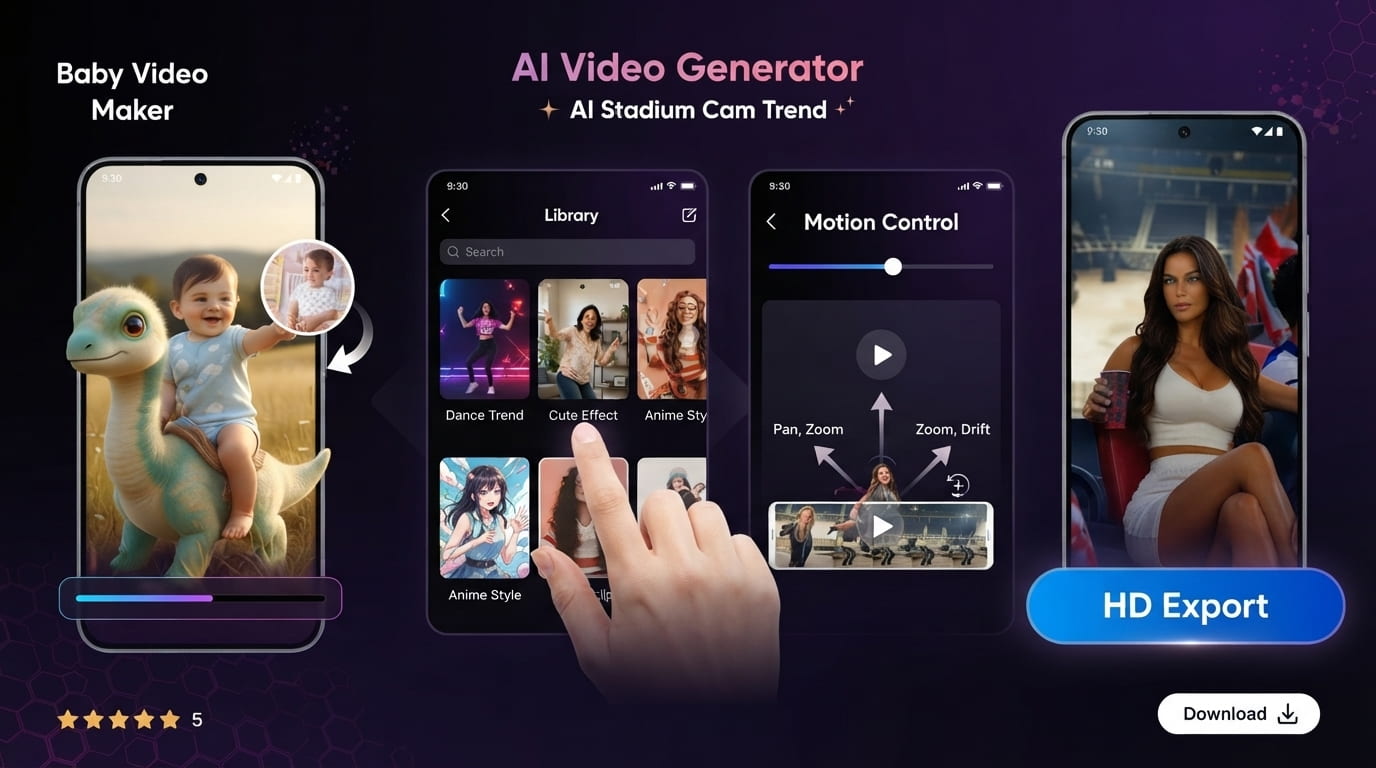
AI Video Generator skips the blank timeline entirely: pick a ready-made template, tweak the motion, choose a visual style, and you have an exportable clip in minutes without touching an editing app.
Key Takeaways
- It's a template-first tool, not a prompt-based generator - you're choosing a pre-built structure, not describing a scene from scratch.
- Scrolling past the most popular templates and tweaking the motion yourself is the quickest way to avoid a clip that looks recycled.
- Rendering runs on a remote server, so how fast a clip generates depends on your connection, not just your phone's specs.
- Export at the highest resolution offered - upload compression will always soften a clip, and a soft export just makes that worse.
Get this app
About this app
The caption idea hits you around midnight, right when your phone's at 40% and you own exactly zero editing skills and even less footage. AI Video Generator exists for that gap specifically - instead of a blank timeline, you get a template, and instead of a finished clip taking an hour, it takes minutes.
What happens after you open the app
Cut through the marketing copy and this is a template-driven video maker, not one of those type-a-sentence-and-pray generators. There's no box asking you to describe a scene in words. You scroll a library sorted by mood and style, land on something close to what you're picturing, and the app assembles a short clip around that structure using an AI visual style - cinematic, anime, cartoon, fantasy, and a handful of others in that lane.
The features that actually matter
- Template-based video creation: pick from a stocked library of pre-built templates rather than gambling on whether a text prompt renders anything close to your idea.
- Motion control: adjust how the scene pans, zooms, and drifts instead of accepting whatever motion came baked into the template.
- Short-form-ready templates: reels, shorts, and short promo cuts arrive pre-sized and pre-paced, so aspect ratio isn't something you have to think about.
- Switchable visual styles: run the same template through cinematic, anime, or cartoon looks - a fast way to test which style actually lands with your audience.
- HD export: clips download at a resolution that survives a platform re-compressing them, instead of coming out mushy.
Making a clip that doesn't look like everyone else's
- Skip the first template that vaguely fits your vibe. Scroll a few pages deeper - the top results are the most-used ones, which means they're also the ones your audience has already scrolled past on someone else's account.
- Adjust the motion controls even when the default already looks decent. A slower pan or a tighter zoom is frequently what separates "obviously templated" from "made on purpose."
- Pick your style based on the platform, not just the mood you're going for - cinematic tends to land on slower feeds, while cartoon and anime styles do better on faster, meme-driven ones.
- Always export at the top resolution option, even with the bigger file size. Compression on upload is unavoidable, and a soft export just makes that compression obvious.
Template tools versus prompt-based generators
Worth pinning down what category this actually falls into, since 'AI video app' covers two pretty different things now. Prompt-based generators want you to type out a scene description and try to build footage from nothing, which occasionally produces something original but more often produces something unusable, and each attempt eats more time than you'd expect. A template-first tool gives up some of that originality in exchange for predictability - you have a decent sense of what you're getting before you ever hit render, because you started from a structure that's already proven to work. For fast, repeatable output like reels and shorts, that trade leans in favor of templates; if you're chasing something nobody's seen before, a prompt-based generator is the better bet.
The practical details before you download
This is still a young app - around 10K+ installs and just shy of 600 ratings averaging 4.06 - so call it promising rather than battle-tested. Download is free, ads and in-app purchases pay the bills, which is business as usual in this space. It carries a 3+ content rating, and how fast a clip actually generates comes down to your connection and device, since the rendering itself happens on a remote server, not locally.
If you've been avoiding video content because real editing software feels like too much of a learning curve, this app exists to lower that bar just enough that something actually gets posted. Scrolling a template shelf and nudging a motion slider is a far smaller ask than an empty prompt field, and for throwaway, fast-turnaround clips, that's exactly the job AI Video Generator is built to handle.
A simple starting workflow
- Browse before you commit: skip past the first row of templates so your finished clip isn't the same one everyone else grabbed first.
- Choose the style before the template: deciding on cinematic, anime, or cartoon upfront narrows the template list to ones worth actually considering.
- Watch the default motion first: preview it once before touching anything, so you can tell what your adjustments are actually doing.
- Small tweaks beat total overhauls: minor changes to pan or zoom speed usually look better than swapping in a wildly different motion pattern.
- Export at your device's top setting: the platform is going to compress it anyway, so hand it the strongest file you can.
How it stacks up against a real editing app
Let's be honest about where the ceiling sits. A full editor still wins any time you're working with your own footage, syncing precisely to a soundtrack, or cutting together a multi-clip story. What a template-first generator wins is raw speed on one specific, common task - a short, stylized clip built from an idea rather than from footage you already shot. It's not a substitute for a video editor so much as a different tool for a different job, and the smart move is picking whichever one actually fits what you're making that day instead of expecting one app to cover both.
Frequently Asked Questions
Can I bring in my own footage instead of using a template?
Not really - the app is built around its template library rather than an import function, so if you need to blend your own clips with AI-generated pieces, a dedicated editing app still handles that job better.
Why does a render sometimes take a while to finish?
Generation happens on remote servers instead of your device, so the wait comes down to your internet connection and server load at that moment, not how complicated the clip is.
Does the free version actually work, or is it locked behind purchases?
The core template-to-video flow runs fine on the free tier with ads included; paying typically buys extra styles, an ad-free experience, or quicker and higher-resolution renders rather than unlocking the basic function itself.