
Sound Like Someone Completely Different in About Two Taps
A candid tour of a voice changer app loaded with girl voices, ambient sound effects, and enough presets to actually make prank calls and quick voiceovers fun.
Key Takeaways
- Recording in a quiet room matters more than most people assume - background noise gets processed right along with your voice and stands out once an effect is layered on top.
- Talking a bit slower and clearer than usual keeps pitch-shifted effects from sounding muddy.
- Selective editing on part of a clip, rather than the whole recording, often makes for a more convincing prank than one flat effect throughout.
- This is an entertainment tool, not an audio production one - judge the output on those terms instead of expecting studio quality.
About this app
Someone in the group chat dares you to prank call a friend, and the whole plan collapses the second your actual voice gives you away. A decent voice changer app is the difference between that dare landing and falling flat, and AI Voice Changer - Prankster is built around exactly that scenario.
What it lets you pull off
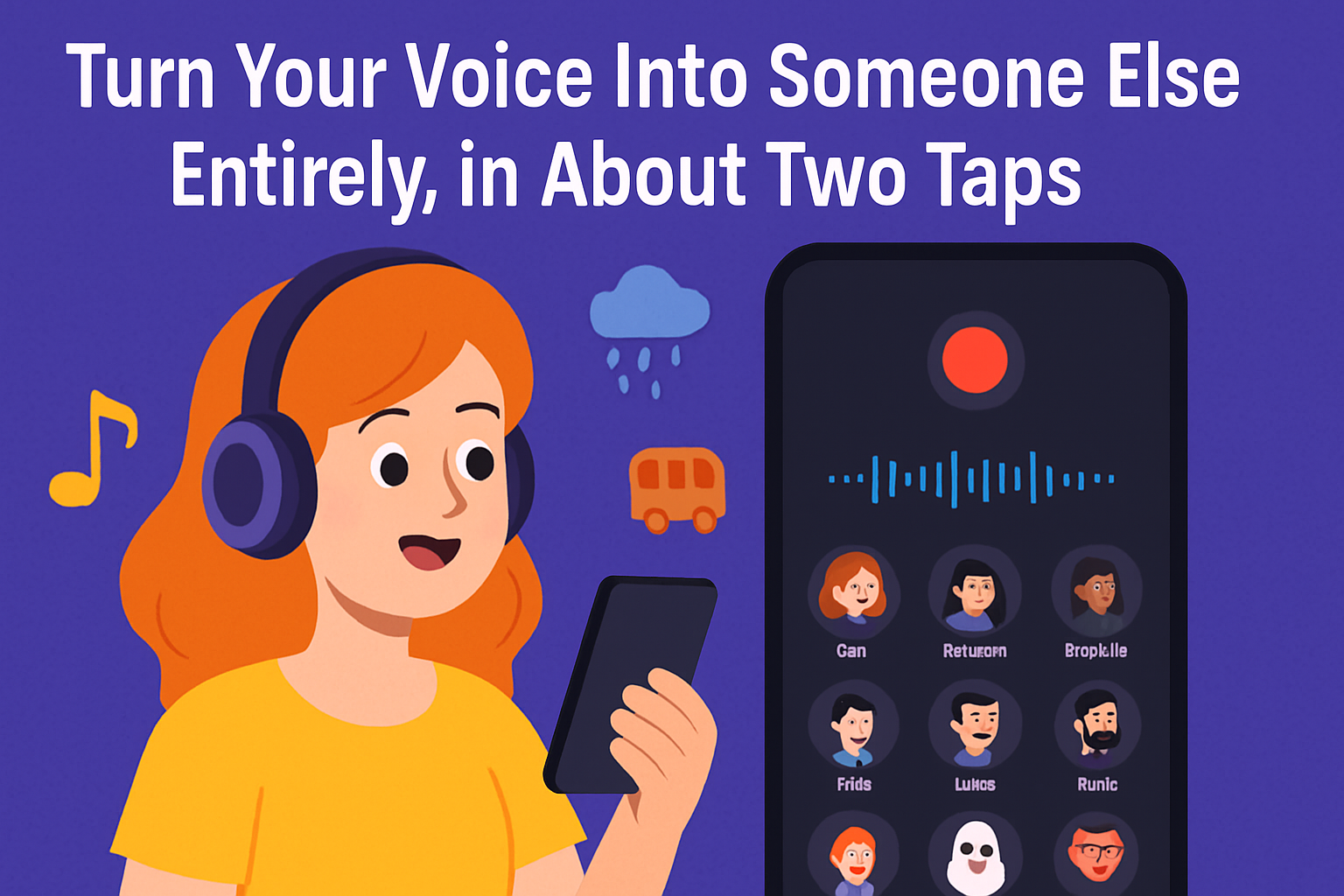
AI Voice Changer - Prankster records your voice, or takes typed text and converts it to speech, then runs either one through a library of voice effects before you save or share the result. Girl voice presets are the marquee feature, but the range stretches well beyond that, from deeper tones to more cartoonish, over-the-top effects. None of it requires an account or a walkthrough - record, pick an effect, and the converted clip is ready to play back within a couple of seconds.
The features that make it worth opening more than once
- A properly wide voice library – girl voices, deeper tones, kid-like pitches, plus a handful of novelty effects thrown in.
- Ambient background sounds – layer your clip into a rainy street, a cave, or a moving train to sell the whole bit.
- Selective editing – apply an effect to just a section of a longer recording rather than the entire clip.
- Save, share, or set as a notification – export it, fire it off to friends directly, or turn it into a ringtone.
- Recording history – a running log of old clips so you are not re-recording the same joke a second time.
- Text-to-speech – type a line instead of speaking it, handy when you want a clean read without background noise to clean up later.
Where it earns its keep beyond prank calls
Prank calls are the obvious use, but the same pipeline covers a few other everyday jobs too. People lean on it to mask their voice in short social clips, to quickly generate an alternate-character line for a school project or fan video, or to put together a goofy voicemail greeting. Because recording, applying the effect, and exporting are separate steps, it doubles as a lightweight voiceover tool for anyone who doesn't want to install a full audio editor just to shift the pitch on one line.
A simple run-through for your first clip
- Record or type it out – tap the mic and say your line, or switch over to text entry and type it instead.
- Choose a voice effect – scroll the library and preview a few before locking one in, since an effect can sound different on a full sentence than it does on a single word.
- Add an ambient layer – bring in background atmosphere only after the voice effect itself sounds right, never before.
- Trim it down with selective editing – if the effect only needs to apply to part of the clip, keep it there rather than the whole recording.
- Save or send it off – export the clip, share it directly, or set it as a ringtone or notification sound.
Making a voice effect actually sound believable
- Record somewhere quiet. Background noise gets processed right along with your voice, and it stands out a lot more once an effect sits on top of it.
- Talk a bit slower and more clearly than usual - effects that shift pitch tend to exaggerate mumbled or rushed words in a way your natural voice normally smooths over.
- Add the ambient sound after picking the voice effect, not before, so you can judge how the voice itself sounds on its own before dropping a rainy street or a moving train underneath it.
- Lean on selective editing for longer clips instead of applying one effect across the whole recording - a prank call that shifts tone partway through usually sells the bit better than a flat, unchanging effect.
- Try a couple of similar-sounding presets on the same line before picking one - small differences in pitch and pacing are much easier to hear on identical audio than across separate takes.
| Use case | How to approach it in the app |
|---|---|
| Prank call recording | Record it live, drop in a girl or deep voice preset, layer ambient sound for realism |
| Quick voiceover line | Use text-to-speech so small wording tweaks don't mean re-recording |
| Ringtone or notification | Export a short clip and set it right from the save menu |
| Longer clip with one twist | Use selective editing to apply the effect to just one section |
A few honest notes
Despite the prank-call framing it carries an all-ages rating, and it runs both ads and in-app purchases, so expect the free voice effects to be generous rather than unlimited. With over a million downloads and a rating hovering just under 4 stars, it clearly delivers the fun factor for most people, even if some effects land better than others. This lives squarely in entertainment territory rather than serious audio production, so treat it that way - don't expect studio-grade noise removal or precise pitch control, since the effects are built to be quick and obvious, not subtle.
Speed is where this app really earns its keep. No export-then-reimport shuffle, no separate editor to load up, no learning curve beyond tapping through a few presets. That makes it a solid pick for a one-off prank, a quick voiceover, or a goofy ringtone - and a poor one for anyone trying to make something sound naturally human rather than obviously processed.
If you want a voice changer for pranks, voiceovers, or just fooling around in a group chat, this covers more ground than you'd expect from something this lighthearted.
Frequently Asked Questions
Can I turn typed text into a changed voice, or does it only work on my own recordings?
Both - the app records your own voice and runs it through an effect, and it also converts typed text into speech with a chosen voice, so recording yourself is not the only option.
Do I have to pay to use the voice effects?
A generous set is free with ads; in-app purchases usually unlock extra voices or strip out the ads rather than locking away the core feature entirely.
Can a converted clip become my ringtone or notification sound?
Yes - exported clips can be saved, shared directly, or set as a notification or ringtone sound right from inside the app.