
Zero Data Bars and You Still Need Your Balance? There's an Older Way
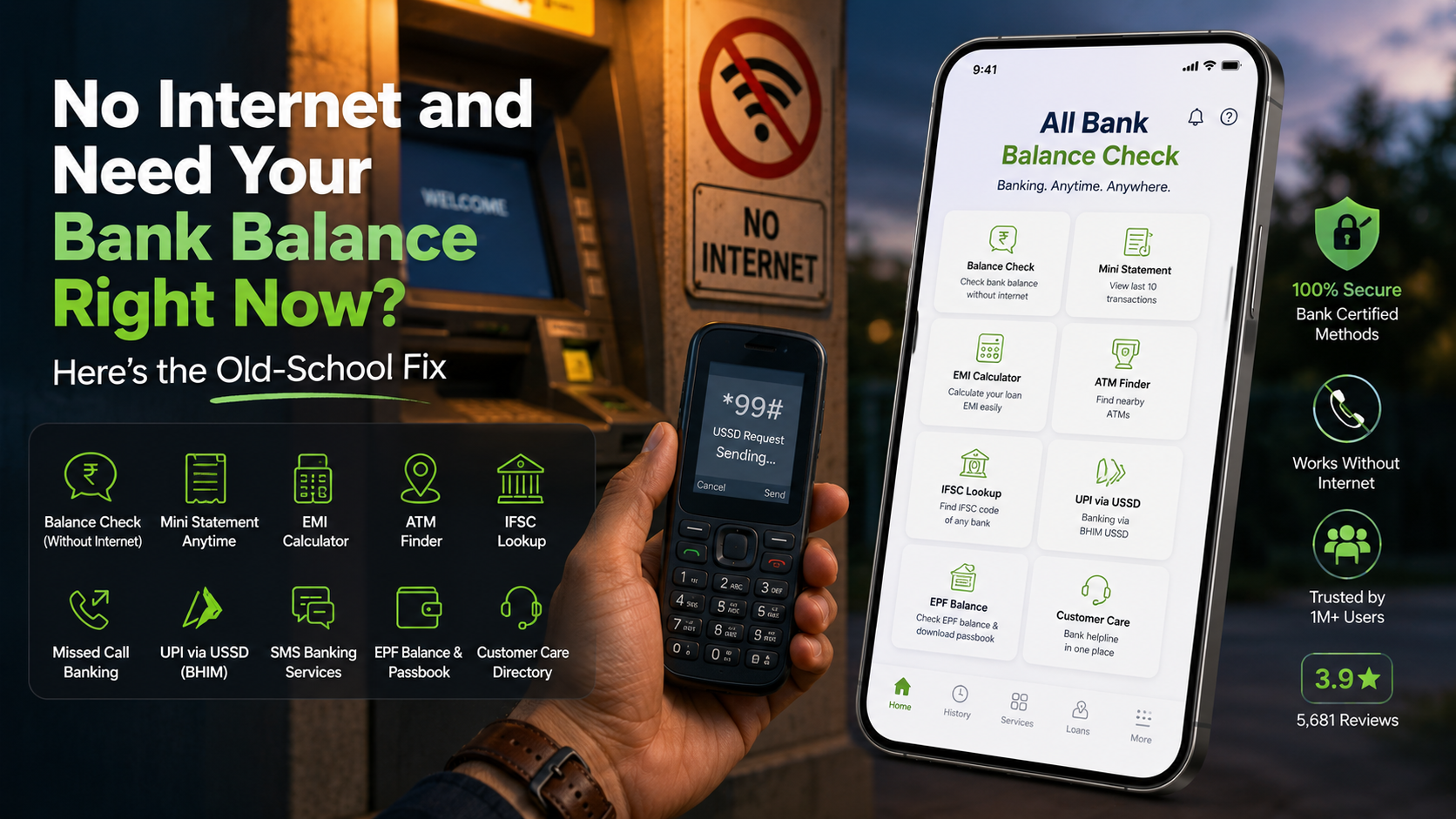
All Bank Balance Check pulls up your account balance, a mini statement, and EMI figures without touching mobile data - handy the second you're stuck at an ATM with dead data and a question only your bank can settle.
Key Takeaways
- USSD, not internet: the app rides your carrier signal the same way a phone call does, so it keeps working without mobile data or Wi-Fi.
- Your registered mobile number has to match the SIM sitting in your phone - a mismatched or freshly changed number is the number-one reason a balance check fails.
- It's built for quick checks, not transfers - keep it alongside your bank's main app rather than swapping one for the other.
- SMS read access is what makes the passbook feature work - it reads your bank's alert texts instead of logging into the account directly, a narrower form of access than a full login.
- The EMI calculator earns its place before you sign anything - comparing tenures side by side takes seconds and can surface a meaningfully bigger total interest cost on a longer term.
In This Blog
- What it's actually doing behind the scenes
- Why this actually exists
- What actually sits inside the app
- Checking a balance without data, step by step
- How it stacks up against the alternatives
- Running the EMI calculator with an actual example
- A few mistakes worth dodging
- When a balance check just won't go through
- Who gets the most out of an app like this
- A word on dual-SIM phones
- A few honest notes before you trust it with money matters
Get this app
About this app
One bar, zero data, and a real question about whether there's enough sitting in the account to cover whatever you're about to do at the ATM - it's a specific, familiar kind of stress that banking apps rarely plan around. Most of them assume you always have data, so the one time you genuinely need a balance without it, the app already on your phone is dead weight.
The instinct is to reach for your bank's own app, but that app almost never opens without a live internet connection, let alone lets you log in. USSD tools sidestep the whole problem because they travel over the same signal that carries a phone call or a text, not the data network - which is exactly why they still work in a parking garage, a rural branch, or that one dead spot in your building.
What it's actually doing behind the scenes
All Bank Balance Check runs on a simple fact: banks already let you pull a balance or mini statement through USSD codes and missed-call banking, no internet involved. If you ever dialed something like *99# on an old feature phone, you already know the underlying system - this app just wraps it up so you're not stuck memorizing a separate short code for every bank you happen to have an account with. Beyond that core function, it also folds in an EMI calculator, an ATM locator, IFSC lookup, and UPI banking over USSD through BHIM.
The distinction worth holding onto is "no internet" versus "no signal." USSD just needs a working connection to your carrier - the same thing a phone call needs - not mobile data or Wi-Fi. So as long as you can place a call, this app can typically still reach your bank, even somewhere 4G has never really worked.
Why this actually exists
USSD banking in India isn't some workaround somebody cobbled together - it's a service the banks themselves built and standardized for people without dependable data access. The National Payments Corporation of India rolled out a unified USSD channel, reachable by dialing *99#, specifically so basic banking wouldn't hinge on owning a smartphone or paying for a data plan. This app is essentially that same official channel wrapped in a friendlier front end, which also explains why it covers such a wide range of banks instead of needing a one-off integration built for each.
That background explains a lot about how the app actually behaves. It's not scraping anything or reverse-engineering access it shouldn't have - it's riding infrastructure banks deliberately opened up for this exact purpose. It also means how reliably a balance check goes through depends partly on how well your specific bank implemented its end of that USSD service, not purely on the app itself.
What actually sits inside the app
- Balance and mini statement checks: grab your balance and recent passbook entries across a wide range of Indian banks, no data session opened.
- USSD banking via UPI (BHIM): send money through the same missed-call-adjacent tech banks have run for years, just easier to actually find.
- IFSC and SMS banking lookups: look up codes and kick off SMS-based actions like cheque requests without digging through a bank's website.
- EMI calculator: punch in a loan amount, rate, and tenure and get a monthly payment figure before committing to anything.
- EPF balance and passbook download: check your provident fund balance and grab a PDF passbook without a separate government portal login.
- ATM finder and customer care directory: find a nearby ATM or the right support number without a search-engine detour.
Checking a balance without data, step by step
- Open the app and pick your bank from the list - it has to match whichever bank your registered mobile number is actually linked to, not just any account you happen to hold.
- Tap "Check Balance" or "Mini Statement" from the main menu.
- The app dials the right USSD code for that bank on its own, so there's nothing for you to remember or type.
- Your carrier routes the call to the bank's USSD gateway and a short reply lands on screen within a few seconds - no data session at any point in that process.
- A mini statement request runs through the same flow but returns your last few transactions instead of just a number.
The whole thing usually wraps up faster than opening a normal banking app on a weak connection would, mainly because there's no login screen, no OTP wait, and nothing to render - just a text reply bounced back over the same channel a phone call uses.
How it stacks up against the alternatives
Worth lining this up against the other ways people already check a balance, since each one trades off speed, reliability, and feature depth differently.
| Method | Needs internet? | Speed | Good for |
|---|---|---|---|
| This app (USSD) | No - carrier signal only | A few seconds | Quick balance and EMI checks with no data |
| Bank's official app | Yes, plus login/OTP | Slower, more steps | Transfers, statements, full account management |
| Dialing *99# manually | No - carrier signal only | A few seconds | Same result, no app needed at all |
| Calling customer care | No - needs a live call | Minutes, often on hold | Complex issues an app cannot resolve |
None of these really replace each other. This app wins on sheer convenience for a fast balance check; the bank's own app wins the moment you need to actually move money or scroll back through months of history; and knowing the short code by heart is a solid fallback for any time you're without this specific app but still remember the drill.
Running the EMI calculator with an actual example
It's easy to skim past the EMI calculator in a bullet list, so here's what it actually does in practice. Say you're eyeing a loan of ₹2,00,000 at 10% annual interest over 24 months. Rather than grinding through the compound-interest math by hand, you punch in those three numbers - principal, rate, tenure - and it hands back your monthly payment plus the total interest owed across the full term. Switch the tenure to 36 months instead of 24 and the trade-off shows up immediately: a smaller monthly payment, but noticeably more total interest paid by the time the loan closes out. Seeing that comparison in seconds, before signing anything, is exactly the kind of math a printed loan offer rarely makes easy to check on your own.
A few mistakes worth dodging
- Checking from the wrong number: USSD banking only fires from the SIM actually linked to your bank account. A second phone, a dual-SIM mix-up, or a number you recently swapped will just fail quietly or throw an error instead of a balance.
- Treating it like a full banking app: this tool is built for quick checks and EMI math, not for managing beneficiaries, scheduling payments, or anything that really needs a proper login session behind it.
- Forgetting carrier USSD fees exist: some carriers tack on a small charge per USSD session, separate from anything the app itself costs, so checking your balance five times a day can quietly add up in a way a normal banking app never would.
When a balance check just won't go through
A failed or blank reply almost always traces back to one of a handful of causes, and working through them in order tends to solve it faster than reinstalling anything. Start by confirming the SIM you're using is physically the number registered with your bank - by far the most common reason a check quietly fails, especially right after a number change or a dual-SIM swap. Next, check you actually have carrier signal rather than data; a phone showing "SOS only" or no bars can't finish a USSD session even though the app itself opens just fine. Third, carriers occasionally have their own outages on USSD gateways specifically, separate from a general network issue, so a failure that clears up an hour later on its own is usually that. If none of that explains it, your bank may simply be running scheduled maintenance on its USSD service - worth a retry after a short wait before assuming the app itself is broken.
Who gets the most out of an app like this
It's not really aimed at someone who always has data and rarely gives their balance a second thought - for that person, the bank's own app is simply more convenient and does everything this one does, plus a lot more. Where it earns a permanent spot on a home screen is with people who regularly pass through low-connectivity areas: frequent travelers between cities with patchy coverage, anyone working somewhere 4G is inconsistent, or just someone who wants a fast, no-friction backup for the moment their data plan runs dry mid-month. It also genuinely helps during a carrier or ISP outage, when a full banking app might technically show signal but keeps timing out because the data connection itself is degraded rather than fully gone.
A word on dual-SIM phones
Dual-SIM phones deserve a callout of their own, since that's where this kind of app trips people up the most. USSD requests go out over one specific SIM slot, and if your phone defaults calls to a different SIM than the one on file with your bank - easy to end up with if you've set a preferred SIM for calls that isn't the one tied to your account - the check will fail, or worse, quietly return a result for the wrong context entirely. Most versions of the app let you choose which SIM sends the request before you check, and it's worth confirming that setting once right after install instead of assuming the default got it right, especially if you swap your primary calling SIM often.
A few honest notes before you trust it with money matters
This app pulls balance and passbook details from your bank's own SMS history, with permission you grant it, rather than logging directly into your account - worth understanding before handing over SMS access. If that gives you pause, that's a fair thing to weigh before installing, and worth checking exactly what SMS permission covers in your phone's settings. It only works with RBI-certified NBFCs for anything loan-related, and actual terms vary by lender, so treat in-app loan figures as a starting point rather than a locked-in offer. It's free with ads and in-app purchases, carries an everyone rating, and has clearly built an audience - over a million downloads and a 3.9 average across 5,681 reviews.
The SMS permission deserves a closer look, since it's the one part of this app that gives some people pause. Instead of logging into your bank with a username and password the way the official app does, this one reads the automated transaction and balance-alert texts your bank already sends you - narrower, arguably lower-risk access than a full account login, but it technically means the app can see any SMS on your phone, not only banking ones, unless your specific Android permission setup scopes it tighter than that. If that trade-off doesn't sit well with you, that's a perfectly reasonable line to draw, and it's worth periodically reviewing app permissions on your phone regardless of what you have installed.
It won't stand in for your actual banking app when it comes to transfers, but for the narrow job of checking a balance or an EMI figure with no data available, it covers a real gap that most polished banking apps quietly leave open.
The bigger point here isn't really about this one app - it's a habit worth having regardless: know your bank's USSD short code before you actually need it, whether or not this specific app stays installed. A dead data connection at the worst possible moment only feels like an emergency the first time it happens; after that, a five-minute fix you already know beats scrambling for a solution while standing at an ATM.
Frequently Asked Questions
Will this work if my phone has zero signal, not just no data?
No. USSD still needs a live connection to your carrier network - the same thing a phone call needs. It gets you around a missing data connection specifically, not a complete dead zone with no bars at all.
Why does it tell me my bank is not supported?
Not every bank has USSD-based balance checks turned on, and support can vary by carrier as well as bank. If your particular bank-and-carrier combination isn't listed, that underlying USSD service just isn't available for that pairing yet.
Does using it cost anything?
The app itself is free with ads, though your carrier may bill a small fee per USSD session - typically a few rupees - separate from whatever the app charges.
Can I check more than one bank account with it?
Yes - you pick which bank to check each time from inside the app, so multiple accounts across different banks all work as long as each one has a working USSD service registered.
Is it safe to use USSD banking somewhere public?
The reply shows briefly on your own screen rather than being read aloud, much like getting a text message, so the precaution is the same as with any banking screen: watch who can see your display, not the technology underneath it.