
Unknown Number Calling? This App Names Names Before You Answer
Show Caller ID & Phone Dialer flags unknown numbers before you pick up and doubles as a full phone dialer - a look at what it does well, and what to know about how it handles your call data.
Get this app
About this app
An unknown number lights up the screen and suddenly you're making a split-second call: pick up and risk five minutes of a robocall pitch, or let it ring out and risk missing something that actually mattered. Caller ID apps exist to take that guesswork off your plate, and Show Caller ID & Phone Dialer is built around exactly that split second.
A dialer that names the caller first
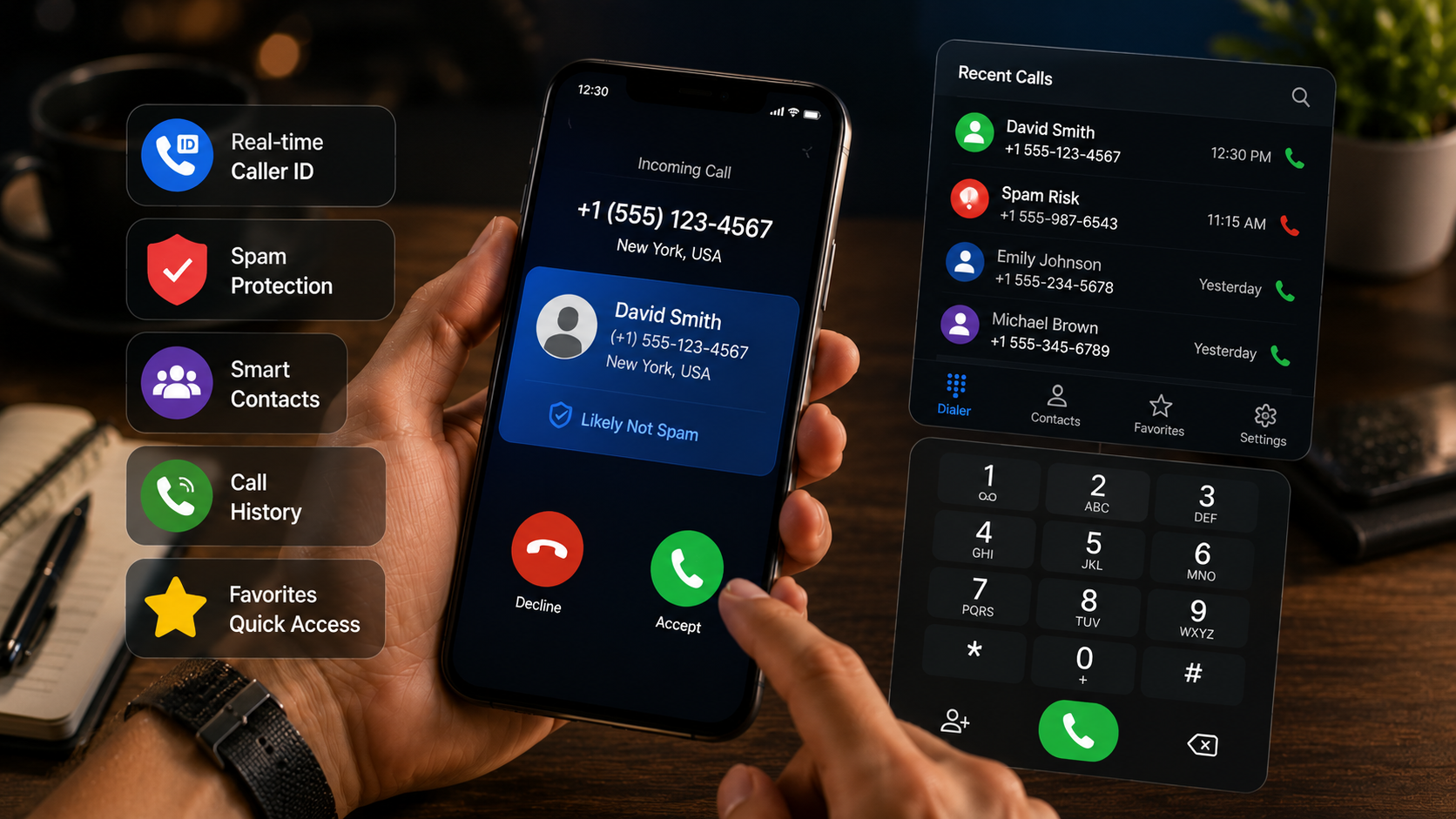
At its core this is a phone dialer replacement, but the caller ID piece is the real reason to switch to it. When a call comes in, a pop-up surfaces identifying details for the number, even one that isn't saved in your contacts, so you get a sense of who's calling before deciding whether to answer. Underneath that, it's still a full dialer - contact management, a call log, and a search bar that finds people quickly. The goal is to collapse two separate habits, checking a caller ID app and then switching to the default dialer, into one screen that handles both.
Making it your default dialer
- Install it and grant the permissions it asks for – it needs access to contacts, call log, and phone state to identify numbers and log calls properly.
- Set it as your default dialer – Android will prompt you to make it the system default; skip this and caller ID gets limited to a background service instead of the full-screen incoming-call experience.
- Give the identification database time to sync – the first day or two after install is when it builds out local caller data, so a few early unknown numbers might come back unidentified.
- Check the caller ID popup settings – decide whether the identification overlay should show automatically on every call or only for numbers outside your contacts.
- Import or confirm your contacts – it pulls from your existing contact list so favorites and per-contact history work correctly right from day one.
What it brings to the table
- Real-time caller ID – unknown numbers get identified the moment the call comes in, not after the fact.
- Mark and unmark tools – tag a number as trusted or unwanted in one tap and keep your call list tidier going forward.
- A caller identification popup – surfaces details for incoming calls even when the number isn't in your contacts.
- Favorite contacts – pin the people you call most so they're faster to reach than digging through your full list.
- Contact-specific call history – pull up the full record for one contact instead of scrolling a mixed timeline.
- Quick search and a recent call log – find a name or number fast, then jump back to recent calls for an easy callback.
Stock dialer versus this one
| Task | Stock dialer | Show Caller ID & Phone Dialer |
|---|---|---|
| Unknown number identification | None - shows the raw number only | Pop-up with identifying details before you answer |
| Marking numbers as trusted/unwanted | Not built in on most phones | One-tap mark/unmark |
| Per-contact call history | Mixed into the general call log | Dedicated history per contact |
| Search across contacts and log | Basic name search | Quick search across names and numbers |
| Data sent off-device | None | Caller details and markings may be uploaded to power identification |
A few things worth knowing before you install
Here's the part worth reading twice: the app's own listing discloses that it may upload caller details, call markings, and related information to its servers to power the caller ID and call-protection features. The developer states that data isn't sold or shared with third-party advertisers and is used only to improve the core caller ID function, and that identification data comes from public records, user reports, and the permissions you grant. That's a reasonable trade-off given how most caller ID apps work - they lean on shared reports to identify unknown numbers - but it's a meaningfully different privacy posture than a plain offline dialer, so go in aware of it. Beyond that, it's free with ads and in-app purchases, carries an all-ages rating, and holds a solid 4-star average from 227 reviews with 100K+ downloads.
Who should actually install this
This app makes the most sense for people fielding a steady stream of calls from numbers not already saved - freelancers, small business owners, landlords, anyone selling on a marketplace app - where missing a legitimate call is a real cost but so is the constant spam. It matters less for someone whose calls come almost entirely from a fixed circle of saved contacts, since there's nothing new for the caller ID feature to identify in that case. Anyone specifically trying to minimize how much call data leaves their device should weigh the upload disclosure carefully before making this the default dialer, since that's the one tradeoff no amount of feature polish gets around.
If unknown numbers are a daily nuisance and a caller ID app that leans on shared data to do its job sounds like a fair trade, this one handles identification, blocking, and everyday dialing in one place without much fuss.