
That Bulging Wallet Is Mostly Cards You Rarely Touch - Try Ditching Them
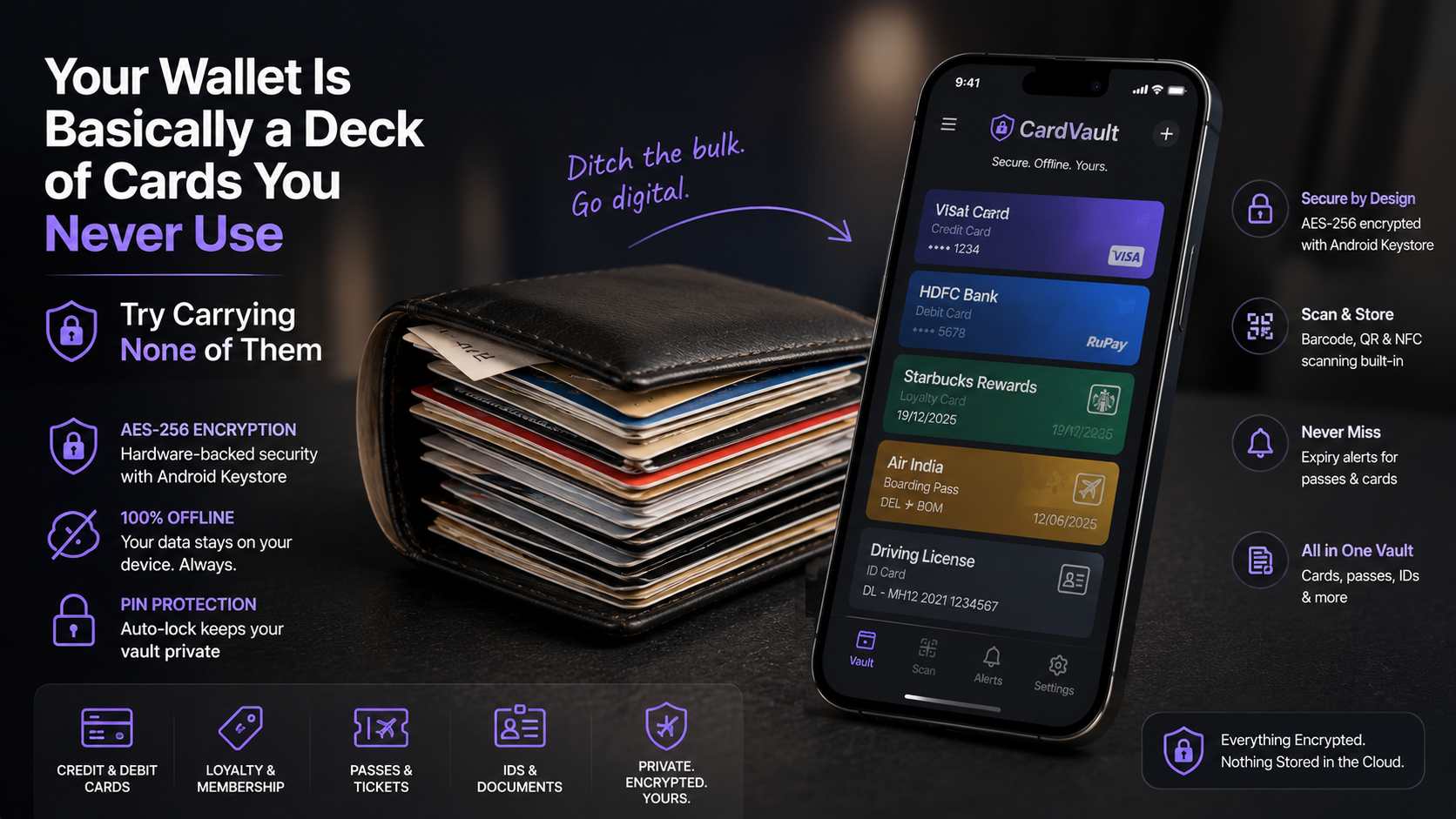
CardVault keeps credit cards, loyalty cards, passes, and IDs behind AES-256 encryption without ever touching a cloud server - a digital wallet aimed at people who want the convenience but not the trade-off of handing their data to someone else's servers.
Get this app
About this app
Between the gym card, the coffee shop's loyalty stamp app, an old student ID, and three or four credit cards each carried for a different reason, the wallet in your pocket quietly stopped being a wallet and turned into a small brick. CardVault's entire pitch is that none of that has to live in your pocket anymore - it's a place for the cards, passes, and documents you carry around but barely think about, locked up in a way that doesn't require trusting some company's server with the details.
What it stores, and how it keeps that stuff safe
CardVault is a card and document vault, not a payment app - it doesn't move any money, it just holds information. Credit and debit card details, loyalty and membership cards, boarding passes and event tickets, and documents like a driver's license or passport all get saved locally, encrypted with AES-256 through the Android Keystore, and never sent anywhere. That distinction is worth sitting with: this isn't a stand-in for tap-to-pay or a mobile wallet like Google Wallet that actually authorizes a transaction. Think of it more as a digital filing cabinet for whatever you'd otherwise keep as a physical card or a screenshot buried somewhere in your camera roll.
Getting it set up
- Install it and set a PIN: your first launch walks you through creating a PIN, and that becomes the key that unlocks the vault from then on.
- Choose a category: flag whether you're adding a payment card, a loyalty card, a pass, or a document before you fill in the details.
- Scan rather than type: point your camera at a barcode, QR code, or physical card and let it pull the numbers in automatically instead of typing them out.
- Set an expiry tag: for passes, tickets, or coupons, mark the expiry date so CardVault warns you before it quietly lapses unused.
- Confirm, and it locks: the entry saves and encrypts right away, and the app drops back into its locked state after a stretch of inactivity.
Where the actual security lives
- Hardware-backed AES encryption: card and document data gets encrypted through the Android Keystore, not just wrapped in a basic password.
- Fully offline storage: there's no cloud sync anywhere in the picture, so nothing about your cards ever passes through a server outside your control.
- PIN lock with auto-lock: the app locks itself after sitting idle and needs a PIN to open back up, with a recovery route if you forget it.
- Barcode, QR, and NFC scanning built in: add a loyalty card or read an NFC tag straight off the camera instead of typing numbers by hand.
- Expiry tracking for passes: get a warning before a boarding pass, gym pass, or coupon quietly expires without you noticing.
Stacked up against the alternatives
| Approach | Where the data lives | Best suited for |
|---|---|---|
| CardVault | On-device, AES-256 encrypted | People who want everything sitting in one offline vault |
| Physical wallet | On your person | Anyone genuinely fine with the bulk and the fumbling |
| Phone screenshots | Camera roll, unencrypted | Fast and careless - easy to lose or expose |
| Cloud-synced wallet apps | Provider's servers | Convenient across devices, less control over your own data |
A few things worth knowing before you install
CardVault is genuinely new by the numbers - sitting around 10+ installs with no public rating to speak of yet - so you'd be trying it early rather than leaning on a proven track record. It's free, though it still runs ads and in-app purchases despite the privacy-first angle, worth knowing going in. It carries an everyone rating (3+), and it's worth confirming your actual payment cards still swipe or tap fine at checkout, since this app stores card details for reference rather than standing in for tap-to-pay.
Because everything lives on-device, there's a real tradeoff here worth weighing: nothing syncs automatically to a replacement phone if you switch devices or lose the one you're carrying. Anyone leaning on this for boarding passes, IDs, or payment references should keep that in mind and check whether the app has a local backup or export option before trusting it with anything time-sensitive.
For anyone who's ever fumbled through six loyalty cards in a checkout line while the queue backs up behind them, one encrypted, offline place to hold all of it is a genuinely useful trade - you're just adopting it a bit ahead of the reviews catching up.
What going offline-only actually costs you
It's worth being upfront about the tradeoff baked into an offline-first design, because it cuts in both directions. The upside is real: your card numbers and documents never touch a server outside your control, which wipes out an entire category of risk that cloud-synced wallet apps carry by design - a breach at the provider simply can't leak data that was never uploaded in the first place. The downside is just as real: lose the phone, damage it, or reset it without taking a manual backup first, and everything in the vault disappears with it, with no account-based recovery to fall back on the way a cloud service would give you.
A backup habit worth building for an offline vault
- Check whether the app supports a local encrypted export or backup file, and if it does, keep a copy somewhere other than the phone itself - a computer, an external drive, or an encrypted cloud folder you actually control.
- Re-export after adding a batch of new cards or documents, not just once during setup, so the backup doesn't quietly go stale.
- Treat the vault as your convenient everyday copy, not the sole copy of anything genuinely irreplaceable, like a scanned passport.