
What to Actually Test When Comparing AI Writing Assistants
Speed, accuracy, and tone control get thrown around as marketing buzzwords - here's what each one really means to check for, and how to find the AI writing assistant that fits your workflow.
Key Takeaways
- "Which AI writing assistant is best" is the wrong question to start with - most people asking it are actually comparing tools built for completely different jobs.
- Speed, accuracy, and tone control are best judged hands-on rather than read about, since each one behaves differently depending on what you write.
- Free tiers usually give you plenty of room to test fit before spending a cent - run one real task through a tool before committing to a paid plan.
About this app
"Which AI writing assistant is best" sounds like a fair question, but it isn't really one - the answer hinges entirely on what you write and which step of the process is actually stealing your time. A better approach: first pin down which category of tool you're even looking at, then run three specific tests that separate the good from the mediocre inside that category. Everything else - pricing tiers, browser extensions, integrations - is fair game to compare too, just after the core fit is nailed down.
These Are Three Different Tools, Not One
General-purpose chat assistants flex to fit almost anything - drafting from a blank page, brainstorming, rewriting - but they aren't tuned for any one specific format. Long-form and SEO-oriented tools lean into outlines, keyword targeting, and structured articles, often bundling in research or citation features a general chatbot doesn't bother with. Grammar-and-tone tools play a different game entirely: they refine writing you already have rather than produce it from a blank slate, and they hand you far finer control over tone and formality. Most "let's just compare everything" exercises collapse right here, since half the tools being lined up were never designed for the same task.
- General-purpose chat tools: your pick when you're starting cold and need brainstorming, outlining, and drafting handled in one place.
- Long-form and SEO writers: your pick when the finished piece needs real structure - headings, keyword targeting, sometimes citations - not just flowing prose.
- Grammar and tone editors: your pick when a draft already exists and just needs polishing, not creating from nothing.
- Hybrid tools: pitch themselves as doing all three; test these extra carefully, since trying to cover everything often means sacrificing depth in each individual mode.
Speed Is About Edit Cycles, Not How Fast Text Appears
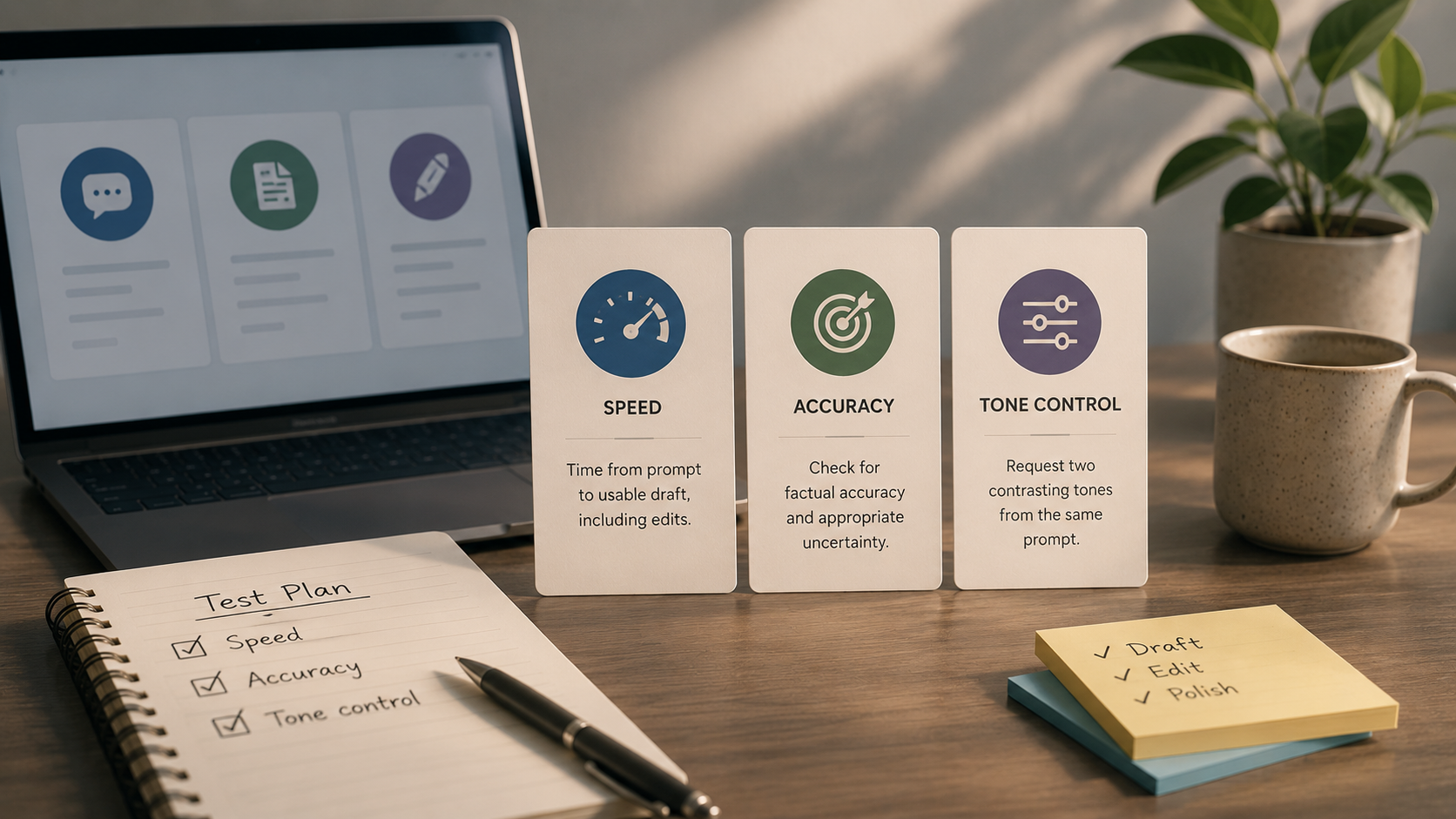
A tool that generates text instantly but demands five rewrite passes is, by any measure that counts, slower than one that takes an extra moment and gets the brief right the first time. Clock your own real task from start to finish - prompt through to a usable draft, edits included - rather than just how quickly words scroll onto the screen. Raw generation speed is the number marketing pages love to brag about, and it's also the least useful one for deciding whether a tool actually fits how you work.
A genuinely fair speed test also factors in setup time: how long it takes to lay out context, tone, and constraints before a first draft even begins. A tool that retains your preferences between sessions cuts that setup cost every single time after the first, and that adds up to matter more than headline generation speed once daily use kicks in.
Accuracy Comes Down to Catching Confident Wrongness
For factual content, hand the tool a subject you already know inside and out, then watch how it handles the gaps in what it knows. Does it admit uncertainty, or does it just fabricate something that sounds plausible? That one test tells you more than any "accuracy" bullet point on a pricing page ever could.
- Ask about something obscure: a tool willing to say 'I'm not certain about this' earns more trust than one that sounds sure of everything.
- Verify numbers and names: dates, statistics, and product names are where a confident-sounding answer is most likely to be wrong.
- Watch for source citations: tools aimed at research writing often tie claims back to sources - handy, but still worth a spot check.
- Rerun the identical prompt: if the answer shifts meaningfully each time, treat every single response as unverified until you check it.
Real Tone Control Means Two Truly Distinct Results
Request the same piece written in two tones you'd genuinely use - a breezy social caption and a formal client email, say - from one identical prompt. A tool with genuine tone control hands you two pieces of writing that actually read differently. One that just swaps out a couple of words and calls it done doesn't count.
Tone control ends up mattering more than most buyers expect going in, since the same tool often serves wildly different audiences over the course of a single week - internal notes one day, customer-facing copy the next, social posts after that. A tool stuck with one voice forces you to reach for a second tool for everything else, which undercuts the whole point of consolidating in the first place.
A Fast Way to Run the Whole Comparison
- Step 1: Shortlist two candidates that actually match your writing type, not just two popular names off a list.
- Step 2: Run one real piece of work through both - skip the toy prompt, use an actual task from this week.
- Step 3: Clock the full task, prompt to usable draft, edits included.
- Step 4: Give both a topic you know well and watch for confident wrongness.
- Step 5: Ask for two contrasting tones from the identical prompt in each tool.
- Step 6: Judge the edited, final output side by side - never the raw first drafts.
| Criterion | What to actually do | Why it matters |
|---|---|---|
| Speed | Time the full task, prompt to usable draft, edits included | Fast generation with heavy editing isn't actually fast |
| Accuracy | Test on a topic you already know; watch for confident guessing | A confident wrong answer is the costliest failure mode |
| Tone control | Request two contrasting tones from one prompt | Shows whether the tone shift is real or cosmetic |
Save These for Last
Pricing tiers, browser extensions, and integration lists are easy to obsess over because they're easy to line up in a spreadsheet. None of it matters, though, if the underlying writing doesn't fit how you actually work. Nail down speed, accuracy, and tone control first - those three rule out most bad fits on their own, and whatever's left after that filter deserves a closer look at price and extras.
Shortlist two candidates that match your actual writing type, put the same real piece of work through both using these three tests, and judge the edited results side by side instead of the raw first draft. Most people can tell within one real task which tool genuinely fits how they work - a feature list rarely decides it.
Frequently Asked Questions
Do I have to pay before I can properly test an AI writing assistant?
Usually not for the initial round - most free tiers give you enough room to run the speed, accuracy, and tone tests above. Hold off on the upgrade decision until you've confirmed real fit.
Does a longer feature list automatically mean a better tool?
No - features you'll never touch just pile on cost and interface clutter. Match the tool type to the job first, and treat extra features as a tiebreaker at best, not the main decision.