
Stuck With Duplicate Contacts and Mystery Callers? Try a Real Contact Manager App
A contact manager app that merges duplicate entries, tags your favorites, and shows exactly who called and when, instead of leaving you stuck with a bare-bones stock dialer.
Get this app
About this app
You know the moment. Someone calls, the screen just shows a ten-digit number, and you spend the next four rings trying to guess whether it is the plumber or a cousin who changed numbers again last year. Meanwhile your contacts list has three separate entries for the same person because you saved them differently in 2019, 2022, and last Tuesday.
None of this is a hardware problem. It is a software problem, and it usually traces back to one root cause: the stock dialer and the stock contacts app that came with your phone were never designed to work together. They are two separate tools bolted onto the same operating system, and neither one is particularly good at cleaning up after the other.
A Contact Manager App Built Around the Dialer, Not Just the List
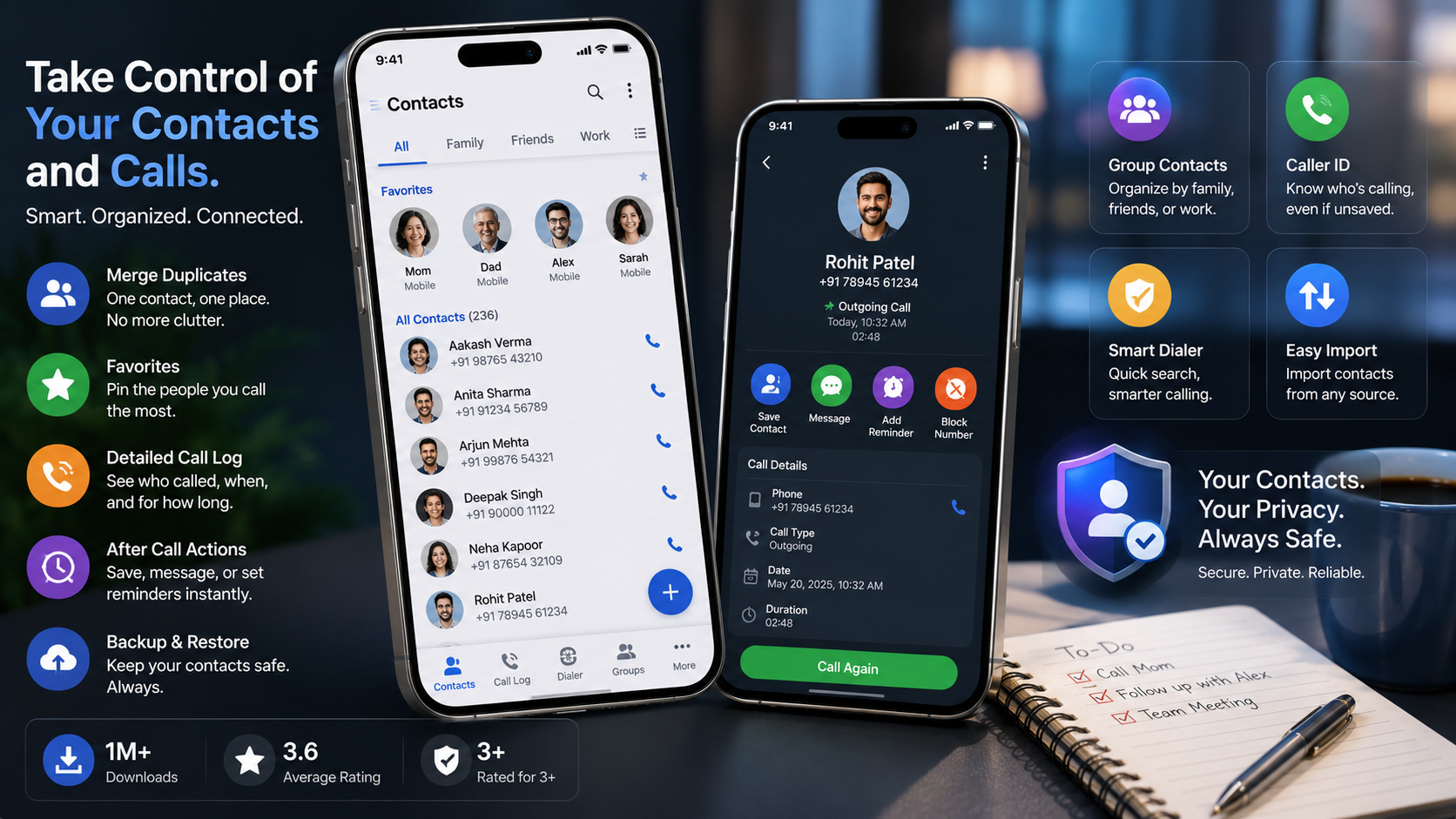
This one, simply named Contacts, treats your phonebook and your dialer as one connected problem instead of two separate apps competing for attention. It replaces the stock dialer, keeps a full call history alongside your saved numbers, and tries to make the moment right after you hang up genuinely useful instead of wasted.
The core idea is simple: every call, text, and saved number should feed back into the same organized system, instead of scattering information across three different screens you have to check separately.
Why Duplicate Contacts Pile Up in the First Place
Duplicates are rarely one mistake. They are usually years of small ones stacking on top of each other.
- Syncing with a new SIM card or a second email account and importing a phone number that already existed under a different spelling.
- Saving someone's number quickly during a call, then saving it again properly later without checking whether it was already there.
- Switching phones or restoring from a backup that merges an old contact list with a current one instead of replacing it cleanly.
- Different apps writing their own versions of the same contact, so WhatsApp, email, and your SIM card each contribute a slightly different entry.
Individually, none of these feels like a big deal. Over five or six years, they add up to a phonebook that is technically searchable but practically unreliable, which is exactly the problem a dedicated contact manager app is meant to fix.
What You Get Once It Is Set Up
- Grouped contacts: sort people into family, friends, and work buckets instead of scrolling through one long alphabetical list every time.
- A call log with real detail: duration, timestamps, and whether a call was incoming, outgoing, or missed, all in one place instead of buried inside your phone's default log.
- The aftercall screen: right after you hang up, it surfaces quick actions, like saving the number, sending a text, or adding a calendar reminder, instead of dropping you back on the home screen.
- Favorites that actually save time: pin the handful of people you call constantly so they sit at the top of the list, not somewhere past contact four hundred.
- Duplicate merging and backup: it finds the three versions of your sister's contact card, folds them into one, then backs the whole list up so a lost phone does not also mean a lost phonebook.
Getting Your Phonebook Back in Order
The first session after installing matters more than any session after it. That is when the app has the most cleanup work to do, and getting it right up front saves you from redoing the same steps later.
- 1. Grant contacts, call log, and phone permissions during setup so the app can actually read and merge what already exists.
- 2. Run the duplicate scan first, before organizing anything else, so you are not sorting entries you are about to delete.
- 3. Review merge suggestions instead of accepting them blindly; a shared last name is not always the same person.
- 4. Set up groups for family, work, and everyone else so new contacts land in the right bucket automatically going forward.
- 5. Pin your handful of daily contacts to favorites so the aftercall screen and quick-dial list stay genuinely useful.
- 6. Turn on backup immediately, before you forget, so the newly cleaned list is not one dropped phone away from being lost again.
How It Compares to Just Using the Stock Dialer
| What you need | Stock dialer + contacts | Dedicated Contacts app |
|---|---|---|
| Duplicate cleanup | Manual, one entry at a time | Built-in scan and merge |
| Call history detail | Basic list, limited context | Duration, timestamps, call type in one view |
| Post-call actions | None, back to home screen | Aftercall screen with quick actions |
| Organizing contacts | One long alphabetical list | Custom groups by relationship |
| Backup | Depends on cloud account sync | Dedicated backup for the whole list |
Worth Knowing Before You Install
It is free and ad-supported, with a few features gated behind in-app purchases, which is fairly standard for a utility replacing something as central as your dialer. It carries a content rating of 3+, and with more than a million downloads it clearly has a real user base, though the 3.6-star average suggests it is not flawless for everyone. Give it a week of daily use before deciding either way, and take a moment during setup to see what contact and call-log permissions it is actually requesting.
It also helps to remember that replacing your default dialer is a system-level change, not just installing another app. Some phones will ask you to confirm it as the default calling app separately from the install itself, so if calls still open your old dialer after setup, check that setting before assuming something is broken.
None of this is flashy. It is the kind of app you forget you installed because it just quietly keeps your contacts and call history in order, which, honestly, is exactly what a contact manager app is supposed to do.