
Free vs. Paid AI Image Generators: What the Upgrade Actually Buys You
Before you type in a card number, figure out exactly what a free AI image tier usually holds back - resolution, commercial rights, generation speed, and control - and whether any of that actually applies to you.
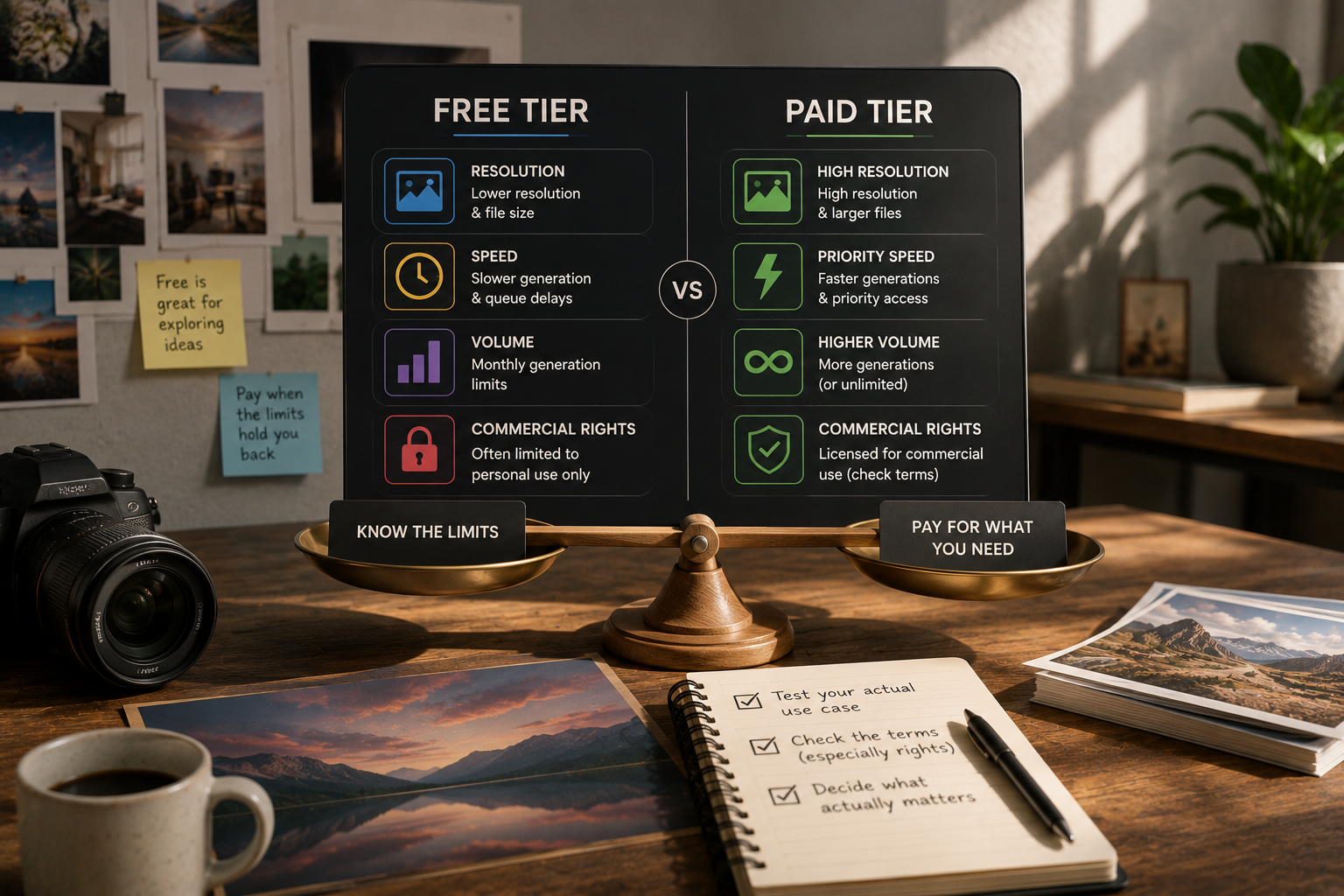
Key Takeaways
- Free plans tend to hold back one of four things: resolution, generation speed, how many images you get per month, or the right to use the output commercially.
- Commercial rights are the trap almost nobody sees coming - a free-tier image can look totally ready for a client and still be licensed for personal use only.
- Run your actual use case through the free tier before assuming you need a paid plan - a quick "this looks fine" glance tells you far less than actually trying it.
About this app
Any decent AI image generator gives you a free tier, and the upsell popup tends to arrive right when you're finally getting results you like. Before you commit to a subscription, it's worth pinning down exactly what the free version is holding back - the limits vary a surprising amount between tools, and quite a few of them won't matter at all for what you're making.
Four things typically get squeezed on a free plan: resolution and file size (fine for a social post, noticeably rough once you try to print it), generation speed and queue placement (free jobs often sit behind paid ones once traffic picks up), how many images you're allowed per month, and - the one that actually catches people out - commercial usage rights. Plenty of free tiers only license the output for personal use, and there's nothing visible in the image itself that tips you off to that fact.
Four Ways a Free Plan Quietly Limits You
"Free tier" isn't one uniform bucket of restrictions - it helps to look at what each individual limit actually costs you. The four below play out very differently depending on what you're using the image for.
- Resolution and file size: Free exports usually cap out at web-friendly dimensions - great for a social post or thumbnail, noticeably soft the moment you try printing it or stretching it into a banner.
- Generation speed and queue priority: Paid accounts typically jump ahead in the queue during busy periods, so a generation that takes ten seconds at 2 a.m. can drag into a minute-plus mid-afternoon.
- Monthly generation count: Most free plans cap the number of images you get per day or month - rarely an issue if you're casual about it, but a real wall once you start cranking out variations of the same prompt.
- Commercial usage rights: The limit that matters most and is hardest to spot - a free-tier license often covers personal use only, and the image gives you zero visual warning of that.
Commercial Rights Get Their Own Section for a Reason
Planning to hand a generated image to a client, sell it, or drop it into marketing material? Go read the tier's actual terms of service for commercial-use wording before you build anything on top of it. It looks like a technical limitation but it's really a legal one - the picture can look completely finished and still be licensed for something it isn't, and that only surfaces once a client or platform pushes back.
The safer habit is checking the terms before you generate anything, not after you've already put the image to use somewhere. Terms shift between tiers and between product updates, and a year-old screenshot of "free forever, use anywhere" won't save you if the current policy has since tightened up.
When the Free Version Is Already Enough
For personal projects, casual social posts, or just sketching out a visual idea, the free plan covers you - the generation caps and speed throttling almost never bite at that level of light, occasional use.
A free tier also doubles as a legitimate way to check whether a tool's aesthetic actually fits what you're making, before any money changes hands. Two generators can run on similar underlying models and still produce visibly different styles from the identical prompt - reading marketing copy won't tell you that, but generating a handful of test images will.
When Paying Actually Pays Off
Upgrading earns its cost once you're generating regularly inside a real workflow (queue waits add up fast across dozens of runs), once you need print-grade resolution, or once you need explicit commercial rights for paid work. Outside of those three cases, sticking with free rarely means you're missing much.
| Situation | Free tier | Paid tier |
|---|---|---|
| Occasional social posts | Sufficient | Unnecessary |
| Regular workflow, dozens of generations | Queue delays add up | Faster, priority generation |
| Print or large-format use | Resolution often too low | Print-grade resolution available |
| Client work or resale | Commercial rights often missing | Commercial rights usually included |
A Fast Way to Make the Call
- Step 1: Run a handful of your own real prompts through the free tier - skip generic test prompts, they won't tell you anything useful.
- Step 2: Pull up the free tier's actual terms of service and find the commercial-use clause specifically, not just what the marketing page implies.
- Step 3: Note exactly where the results fall short - resolution, speed, volume, or rights - instead of assuming every limitation applies to you.
- Step 4: Pay only for the specific thing that's actually blocking you, since most paid plans unbundle these features rather than forcing the full package for one fix.
A Trap Worth Calling Out: Overpaying for the Wrong Plan
A common and easily avoidable mistake is jumping straight to the top-tier plan when a mid-tier one would have fixed the actual bottleneck. Most providers unbundle their limitations rather than lumping them into one all-or-nothing upgrade - a mid-tier plan might remove the generation cap and speed up the queue without granting full commercial rights, while a business tier adds that licensing on top. Before you subscribe, read the pricing page's tier comparison line by line instead of assuming the middle option is the sensible default - the extra two minutes confirms whether the specific thing you need is actually bundled at the price you're about to pay.
What Happens When the Underlying Model Gets Updated
One more thing worth flagging: the model powering a free or paid tier isn't fixed in place, and a provider swapping in a newer model can shift the gap between the two tiers overnight, in either direction. A limitation you tested and confirmed six months back - say, a style the free tier just couldn't render well - might have quietly disappeared after an update, or a new capability might now sit exclusively behind the paid wall that wasn't there before. If your pay-or-don't-pay decision was made a while ago around one specific gap, it's worth re-testing before you renew rather than assuming that trade-off still holds true.
Frequently Asked Questions
Am I allowed to post a free-tier image to a blog or social media?
Usually, but confirm it with that specific service's terms first - some tools block even non-commercial free images from public posting, others don't mind at all. Don't guess; go read what your tool's terms actually say.
Does a paid plan actually make the images better, or just get you more of them?
Not automatically. Plenty of tools run the identical model across free and paid tiers - an upgrade usually buys resolution, speed, volume, and rights, not a smarter engine. Some providers do lock better models behind a paywall, so verify the specific claim instead of assuming it applies.