
Your Dashboard Speedometer Might Be Fibbing - This App Won't
GPS Speed Tracker turns a phone into a standalone digital speedometer and odometer, with offline tracking, HUD projection, and speed limit alerts for cycling, driving, and everything in between.
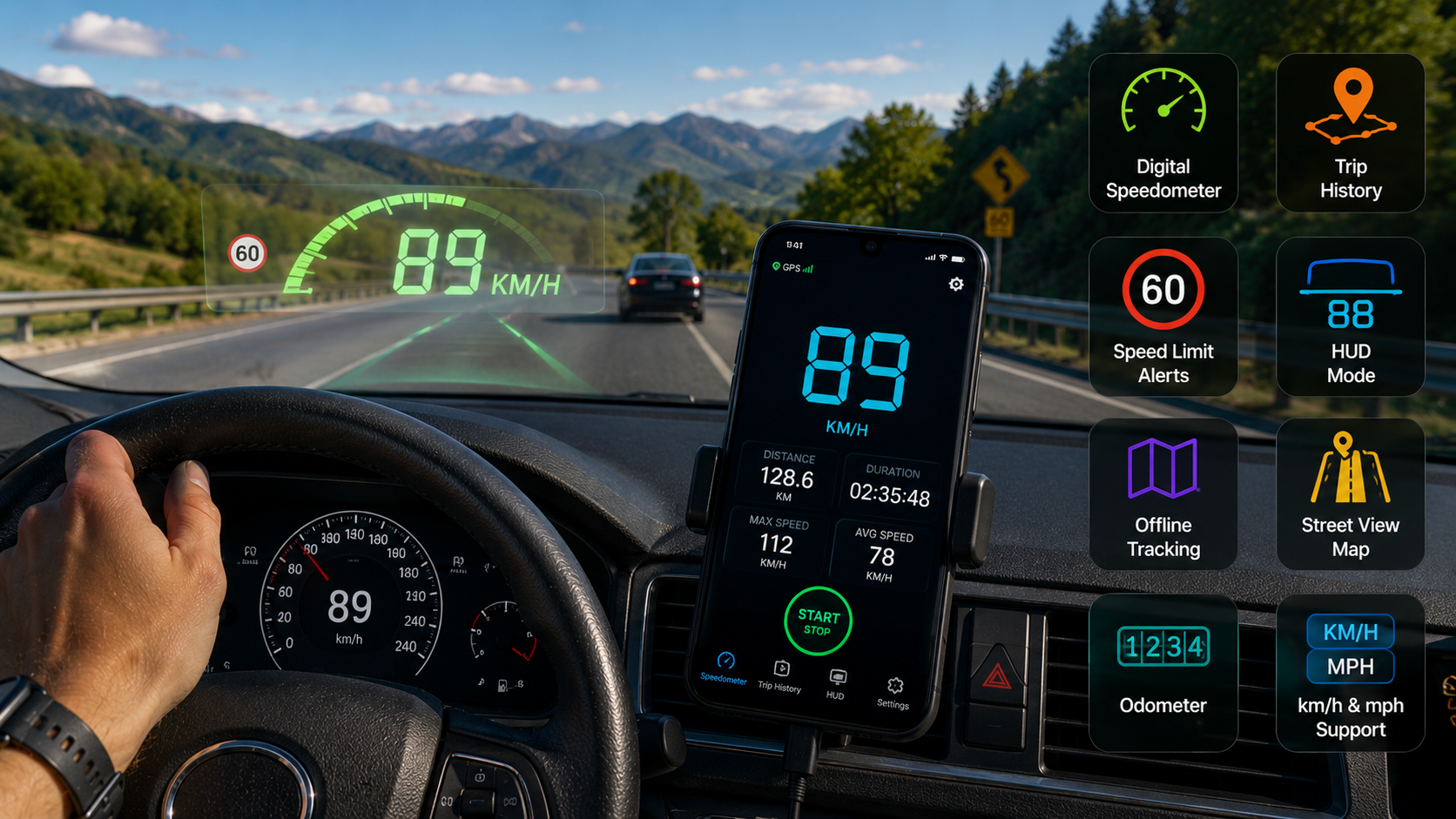
Get this app
About this app
Anyone who's ridden a bike with a temperamental speedometer, or rented a car whose dash reads a little too fast, knows why a second opinion is worth having. GPS Speed Tracker: Speedometer turns your phone into that second opinion - a standalone speedometer and odometer that couldn't care less what your dashboard claims.
What this app is actually for
First and foremost, it's a GPS speedometer - it pulls your speed from satellite data rather than a vehicle's own sensors, so it behaves the same whether you're on a bike, a motorcycle, or behind the wheel. The bigger draw is that it runs fully offline: there's no data connection required to know how fast you're going or how far you've traveled, which matters wherever signal gets patchy. And since it's not tied to any car's onboard computer, it covers activities a dashboard speedometer never could - cycling, running, even clocking a boat's speed on the water.
How the GPS math actually works
The app relies entirely on your phone's GPS chip rather than pulling anything from the vehicle you're in, and that's worth understanding before you lean on it. Once it locks onto satellites, it works out speed from how your position shifts over time, then keeps recalculating as you move. Two things follow from that: it needs a reasonably open view of the sky to get that first lock, and accuracy can dip a bit in dense cities, tunnels, or heavy tree cover where satellite signal gets blocked or bounced around. For open-road driving, highway cycling, or rural routes, none of that tends to matter.
What makes it worth having
- An actual digital speedometer and odometer – clean, easy-to-read numbers for current speed and total distance, continuously updated.
- Custom speed limit alerts – set your own threshold and get a vibration or sound alert the instant you go over it.
- HUD mode – projects speed onto the windshield so you're not glancing down at your phone mid-drive.
- Trip history – every trip gets logged with speed, distance, and route, so you can revisit a ride or drive later.
- km/h and mph support – useful if you cross borders often or just have a preferred unit.
- Street view integration – see your surroundings in context instead of just a dot crawling across a blank map.
Getting ready for your first trip
- Grant location permission – the app needs "always" or "while using" location access just to get a GPS lock.
- Step outside or near a window – a clearer view of the sky speeds up that first satellite lock significantly.
- Set your unit first – switch between km/h and mph in settings before you start moving, not partway through a trip.
- Enter a speed limit alert – if you want the vibration warning, set your target limit before setting off.
- Mount the phone for HUD mode – a dashboard or vent mount keeps the windshield reflection legible if you plan to use the projection.
Dashboard alone versus this app
| Aspect | Vehicle's Dashboard | GPS Speed Tracker |
|---|---|---|
| Speed source | Wheel sensors, often over-reported by design | Satellite positioning, independent of the vehicle |
| Works on a bike or on foot | No | Yes |
| Needs a data connection | No | No, once GPS lock is established |
| Trip logging | Rarely built in | Automatic, with history saved |
| Speed limit alerts | Not customizable | Set your own threshold |
A few things worth knowing before you install
It's free and ad-supported, with in-app purchases available, and carries an all-ages rating. The rating itself sits at a middling 3.7 from 700 reviews, a bit lower than some of the other apps covered here - worth factoring in if GPS accuracy on your particular phone matters a lot to you, since readings can vary somewhat depending on hardware and signal conditions. Ads are the main gripe reviewers bring up, along with the in-app purchases gating some features. The good news is the offline claim holds up in practice: once GPS lock is established, the speedometer and odometer keep working without any data connection at all.
It's worth remembering, too, that GPS speed readings - while independent of your vehicle - aren't perfect either. Brief dropouts near tall buildings or inside tunnels can cause the reading to jump or freeze for a moment. That's a limitation of GPS technology in general, not something specific to this app.
A straightforward speed tracker that doesn't depend on your car's own instruments or an internet connection - that's essentially the entire pitch, and it delivers on it without much fuss.
Why Car Speedometers Tend to Run a Bit Optimistic
It's worth understanding why a GPS reading and a dashboard reading ever disagree, since the gap isn't random error on either end. Manufacturers commonly calibrate speedometers to read a touch higher than true speed - a deliberate choice, partly for legal safety margin, so a driver is never caught going faster than the dash indicates. Tire size, tread wear, and even tire pressure can shift the wheel-sensor number further still, since that calculation is based on wheel rotation rather than actual ground speed. A GPS reading sidesteps all of that by measuring real position change over time, which is exactly why it tends to read a touch lower than the dashboard - not because the GPS got it wrong.
When the Dashboard Is Still the One to Trust
- Whenever satellite signal is degraded - a dense city center, a tunnel, heavy overhead cover - the dashboard, running off wheel sensors, keeps working when GPS briefly can't.
- For legal speed compliance in heavily enforced areas - since manufacturers calibrate dashboards to run a bit high as a safety margin, treating the dashboard number as the more conservative one makes sense there.
- In the first few seconds after starting a trip, before GPS has had time to settle into a stable lock - the dashboard is accurate from a dead stop, while GPS speed briefly lags behind.