
How AI Actually Writes Music - and Where It Still Comes Up Short
Type a description and AI hands back a full song. Here's a plain-English walk-through of the mechanics behind that, plus an honest look at what these tools nail and what still trips them up.
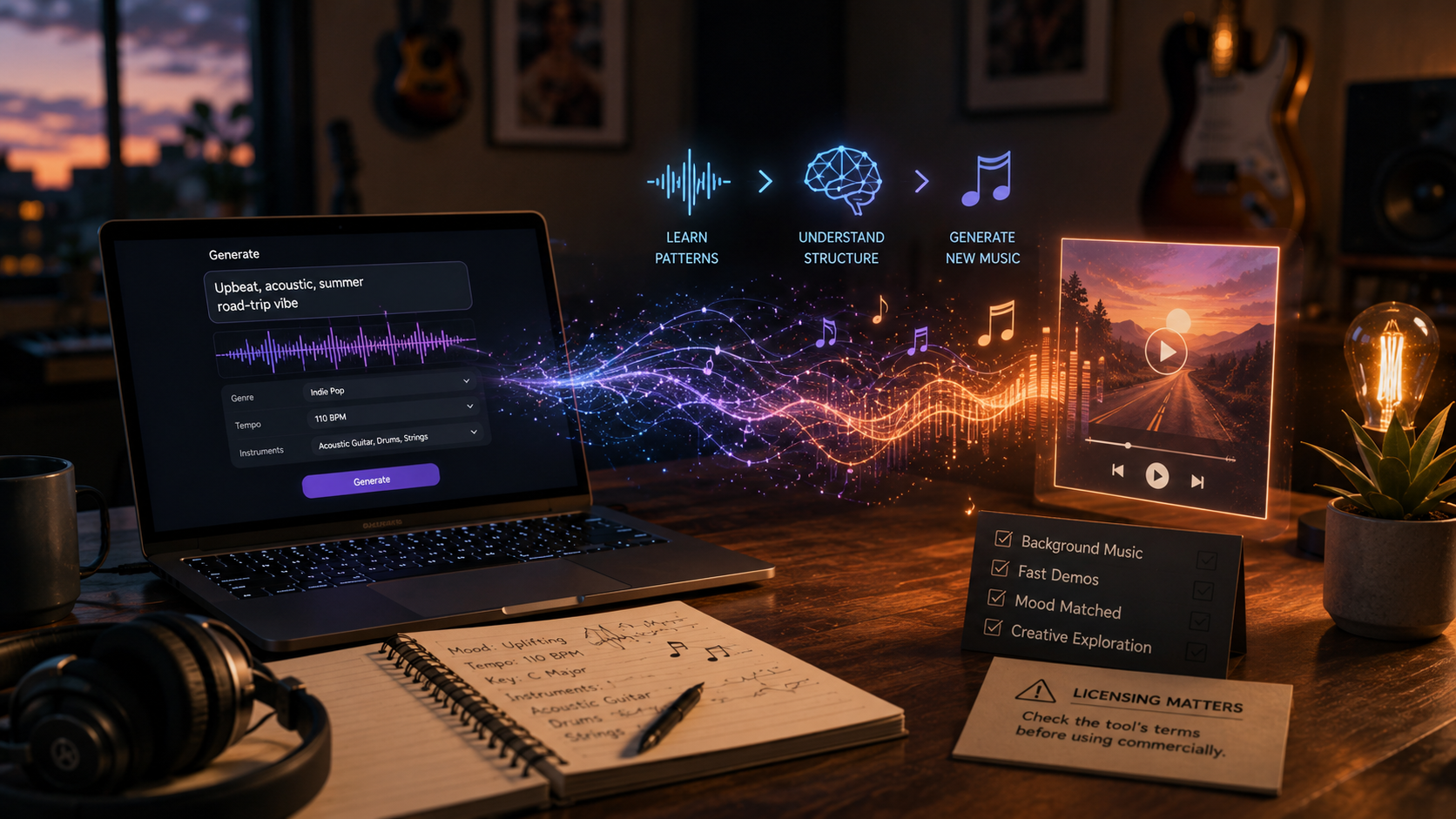
Key Takeaways
- AI music tools pick up statistical patterns of melody, rhythm, and structure from whatever audio they trained on - not unlike how a language model learns the patterns of text.
- They genuinely excel at background tracks, mood-specific instrumentals, and quick demos - and get noticeably shakier the moment you need a polished, specific vocal take good enough for a finished single.
- Who owns AI-generated music, licensing-wise, is still up in the air - check whatever tool you're using for its current terms before monetizing anything it produces.
About this app
Type out a description of a song and get back a finished track - instruments, sometimes a vocal, all in under a minute. AI music generation has genuinely reached the point of being useful, even if it's not flawless yet. Here's how it actually works under the hood, and where it truly delivers.
These systems train on huge libraries of audio, absorbing statistical patterns in melody, harmony, rhythm, and overall song structure - verse-chorus shapes, the chord progressions that show up again and again, the instrumentation a given genre typically leans on. Give one a prompt and it generates fresh audio that follows patterns matching your description - much the same way a language model produces text from patterns it picked up, rather than from some fixed rulebook.
What Actually Happens During Generation
A text-to-music tool's pipeline splits into a handful of distinct stages, and knowing what they are explains both why these tools are good at what they're good at, and where they run out of road.
- Reading the prompt: the model scans your description for genre, mood, tempo, instrumentation, and structural hints, translating loose everyday language into the musical parameters it was actually trained to recognize.
- Generating from patterns: instead of stitching together pre-recorded loops, most modern tools build audio (or a stand-in representation of it) one step at a time, predicting what logically comes next based on everything generated so far.
- Shaping the structure: a separate part of the model steers the output toward a recognizable song arc - intro, verse, chorus, outro - rather than a shapeless wash of sound.
- Synthesizing vocals (if there are any): lyrics and melody get passed through a dedicated vocal model, and this is typically the weakest part of the whole chain compared to the instrumental side.
- Rendering and mastering: the raw output gets leveled and polished into a finished mix, which is exactly why the result often sounds more produced than you'd expect from just typing a sentence.
What It's Genuinely Great At
Background and mood music is easily the strongest use case - instrumental tracks dialed into a specific feeling for a video, a slide deck, or just ambiance. Quick demos are another win: generating a rough version of an idea beats sitting in front of a blank page. And messing around with genres is legitimately fun - you can hear one idea rendered five different ways in a few minutes without recording a single version yourself.
- Content creators: stock-style background tracks for videos, podcasts, and social clips, no stock-track license or composer needed.
- Songwriters: rough instrumental sketches for testing whether an arrangement idea has legs, before booking any actual studio time.
- Game and app developers: mood-appropriate loops for menus, levels, or ambient sound where a full custom score isn't in the cards budget-wise.
- Hobbyists: a cheap, low-pressure way to poke around different genres or arrangements without owning an instrument or knowing production.
Where It Still Comes Up Short
A polished, specific vocal take - the kind of phrasing and emotional nuance that makes a finished single actually land - is still a clear weak spot for most of these tools. Structural coherence across a longer piece is another: keeping a song developing consistently over several minutes is a much bigger ask than nailing a short loop. And precise creative control - landing an exact melody or lyric idea rather than something in the general neighborhood - remains genuinely difficult to pull off.
| What you're trying to do | How well AI generation pulls it off |
|---|---|
| Instrumental background music | Strong - often usable straight out of the box |
| Rough idea sketches / demos | Strong - quick to iterate, nothing riding on it |
| Playing with genres or arrangements | Strong - cheap enough to try dozens of versions |
| A polished lead vocal for a single | Weak - phrasing and nuance still lag behind |
| Long, structurally involved songs | Mixed - coherence slips the longer it runs |
| Nailing an exact melody or lyric | Weak - control is approximate, not exact |
Prompting for Better Output
Naming just a genre - "make me a pop song" - tends to hand you something bland. Get specific about mood, tempo, the instruments you want up front, and give it something to anchor to ("upbeat, driving tempo, acoustic guitar out in front, summer-road-trip feel") and you'll get something you can actually use.
- Lead with mood, not just genre: 'melancholic,' 'triumphant,' or 'tense' pulls more weight than 'pop' or 'rock' on its own.
- Pin down tempo and energy: a loose tempo description or comparison ('slow and sparse' next to 'driving and dense') steers things more reliably than leaving it open-ended.
- Name your lead instrument: specifying what carries the melody - guitar, piano, synth - keeps the arrangement from drifting toward something generic.
- Anchor it to something concrete: describing a scene, a use case, or a comparable vibe ('driving at night,' 'end-credits energy') tends to beat abstract music-theory language.
- Roll several takes: since output shifts between runs, generating a handful of versions off the same prompt and picking the winner is usually quicker than trying to perfect one prompt.
Licensing Deserves a Look Before Anything Else
Before you fall in love with a result: ownership and licensing for AI-generated music is genuinely still up in the air, and terms differ wildly between tools - some hand you clear commercial rights, others block monetized use outright. Check the specific tool's current terms before you put anything generated into a project you plan to sell or publish - don't assume it works like a royalty-free stock-music license, because it might not.
Two specific things worth confirming: whether the tool actually grants commercial usage rights at all (plenty of free tiers cap output at personal, non-monetized use), and whether the underlying training data has been caught up in legal disputes that could affect how safely you can rely on the output down the line. Neither has a one-size-fits-all answer - it depends entirely on the tool and the plan you're on.
Frequently Asked Questions
Can a song made with an AI music generator actually be copyrighted?
It's genuinely unsettled and differs by jurisdiction - copyright law in a lot of places has human-authorship requirements that AI-generated work may or may not clear. Worth checking the current law wherever you are if ownership actually matters to you commercially.
Can you actually tell AI-generated music apart from human-made music?
For short, simple, mood-driven tracks, often not really. On longer or more vocally demanding pieces, gaps in coherence and performance nuance tend to show up more clearly.