
Just Deleted the Wrong Photo? Here's What to Do in the Next Five Minutes
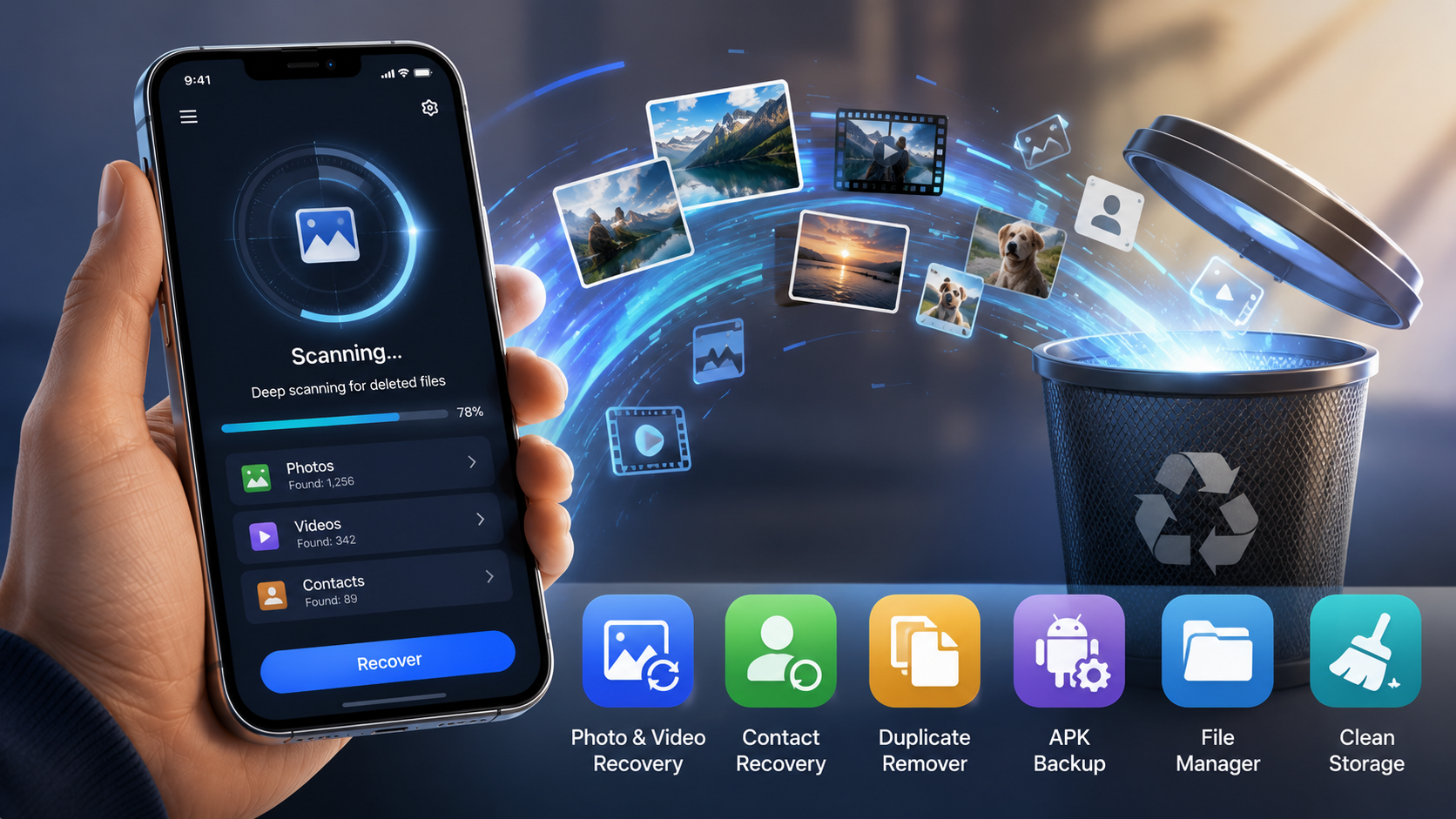
Recover Deleted All Photos scans your device for lost photos, videos, and contacts, and also clears out duplicate files clogging up your storage - a sensible first move before writing that photo off as gone for good.
Key Takeaways
- Deleted files are typically just hidden, not erased - recovery often stays possible right up until new data overwrites that storage space.
- Speed is everything here: stop shooting photos, pause backups, and scan before installing anything else that would write new data.
- The app doubles as a duplicate finder and general cleaner, which is a good enough reason to keep it installed even once the recovery emergency is over.
- A factory reset or heavy device use after the delete sharply cuts your odds - treat this as a first attempt, not a sure thing.
Get this app
About this app
The photo's gone, you know exactly which one, and you're already halfway through drafting an apology text to whoever was in it. Before you hit send on that, it helps to remember that on Android, deleted rarely means erased - most of the time it just means hidden.
That distinction comes down to how storage actually works under the hood. Deleting a file doesn't wipe the data itself - it just removes the pointer telling the system "this space is in use" and marks the area free for something else. Until new data actually lands in that exact spot, the original bytes are typically still sitting there, waiting for anything that knows how to look. That's the entire premise a recovery app runs on, and it's also why acting fast matters more than nearly anything else in this situation.
What actually happens when you hit scan
Recover Deleted All Photos runs a deep scan across your storage hunting for recoverable photos, videos, contacts, and other files that got deleted but haven't been overwritten yet. Beyond recovery, it also moonlights as a duplicate finder and a general device cleaner - APK backups, a file manager, an uninstaller, and cache clearing are all bundled into the same app instead of four separate downloads.
What you actually get with it
- Photo and video recovery: scans your storage for recoverable images and clips after an accidental delete - no guarantees, but a genuine attempt.
- Contact recovery: brings back deleted contacts, which honestly matters more than photos when it's a phone number you have no other way of getting back.
- Duplicate file remover: catches repeated images, videos, audio, and documents quietly eating into space you forgot you were losing.
- APK backup: holds onto copies of your installed apps so switching phones doesn't mean redownloading everything from zero.
- Deep scan file manager: pulls files scattered across your storage into one view, plus an uninstaller and a home-screen widget for quick access.
The first five minutes matter more than which app you pick
- Stop shooting photos or video immediately. Every new file created is another chance to overwrite the exact storage block your deleted photo is still sitting in.
- Pause automatic backups or cloud sync if you're able to - some sync services quietly wipe their own local cache of recently deleted items, which works directly against you here.
- Switch on airplane mode if you're not scanning right this second. It blocks background downloads and app updates from writing new data while you sort out your next move.
- Run the scan before installing anything else. Installing an app is itself a write operation - one more thing competing for that same free space.
None of that guarantees anything comes back, but it meaningfully tilts the odds in your favor, and it costs you nothing while the app runs its first scan anyway.
A few things to know before installing
This is a big, well-established app - 10M+ downloads - though the rating paints a more mixed picture: a 3.37 average across 71,845 reviews, noticeably lower than the other tools covered here. Recovery apps generally can't promise results once storage has actually been overwritten, so how well it works depends heavily on how much you've used the device since the delete. It's free, carries an everyone rating, and runs on both ads and in-app purchases, which tracks given how many people have installed it.
It's also worth setting expectations honestly: no recovery app on any platform can undo a full factory reset or pull back a file once new data has physically written over it. What these tools genuinely excel at is the far more common scenario - an accidental delete, a regretted "clear all" tap, or a purged screenshot - caught within minutes or hours rather than left for weeks.
Think of it as a reasonable first attempt at getting something back rather than a sure thing - the sooner you scan after deleting, the better your odds get, and the storage-cleaning and duplicate-removal side of it alone is enough reason to keep the app around once the emergency has passed.
Why cloud backup doesn't let you off the hook for acting fast
It's tempting to assume cloud photo backup makes local recovery pointless - synced somewhere means safe, right? Not exactly. Most cloud services mirror deletions right along with everything else: delete a photo on your phone, and if sync kicks in before you catch the mistake, that same delete often follows the file to its cloud copy too, usually dropping it into a trash folder with its own short retention window rather than keeping it safe indefinitely. That's a second, separate countdown running alongside the local-storage-overwrite one this app is built to beat, so checking your cloud service's own trash or recently-deleted folder is worth doing at the same time as a local recovery scan, not as a substitute for it.
A short checklist for the moment it actually happens
- Check your cloud photo service's trash or recently-deleted album first - plenty keep deleted items recoverable for a set window without any extra tools.
- Nothing there? Switch to airplane mode and run the local recovery scan before touching anything else on the device.
- Once you've got the file back, back it up somewhere separate from where it was originally lost, rather than letting it sit as the sole copy again.
Frequently Asked Questions
How much time do I have before a deleted photo is gone permanently?
There's no fixed window - it comes down entirely to how much new data gets written to your storage afterward. A phone that barely gets touched afterward might still yield a recovery days later. A phone still busy shooting photos and downloading apps sees the odds drop within hours.
Does this work after a factory reset?
Usually not. A factory reset typically wipes or re-encrypts storage in a way ordinary recovery scans can't see past, which is a different situation from an everyday accidental delete.
Why does it need so many permissions?
A deep storage scan needs broad file-access permission to search your entire device for recoverable data, and the contact-recovery and cleanup tools each need their own separate permissions to actually function.