
Picked Up a Strange Rock on a Hike? Here's How an Identifier App Actually Works It Out
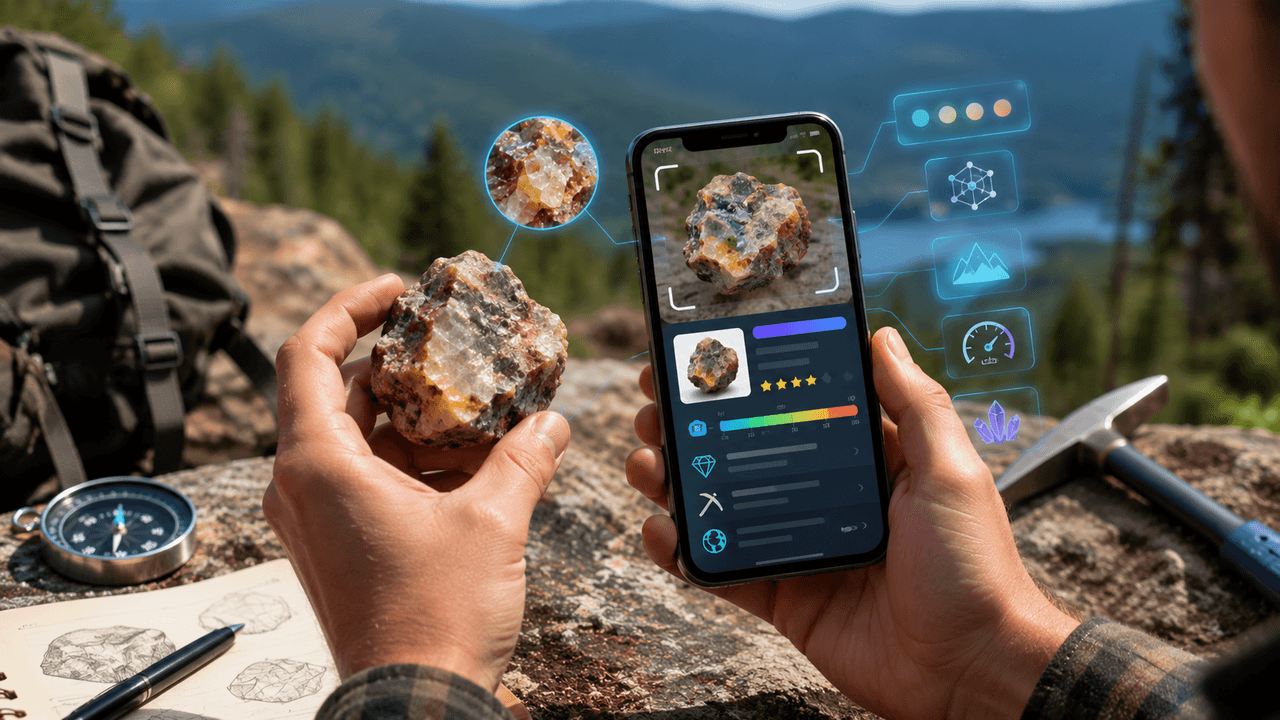
Rock Identifier scans a photo of a stone, mineral, or crystal and hands back an instant identification complete with hardness, origin, and value details, built with hikers and rockhounds in mind.
Key Takeaways
- Photo quality drives accuracy - natural light, a filled frame, and a clean surface all meaningfully improve identification results.
- The confidence score deserves attention: high confidence on common minerals is reliable, while low confidence on unusual finds calls for a second check.
- This is a hobbyist tool, not a lab replacement - treat gemstone value estimates as a starting point before any sale or appraisal.
- A personal collection log means every identified find builds toward a genuine archive rather than a one-off lookup.
Get this app
About this app
Every hiking trail eventually delivers the same scene: someone bends down for a rock that looks a bit too shiny or too odd to be an ordinary stone, turns it over a few times, and asks the group if anyone actually knows what it is. Nobody ever does. Rock Identifier: Gem & Crystal fills exactly that gap - aim the camera at a stone, mineral, or gem, and it reads texture, color, grain, and crystal structure to hand back an identification with a confidence score attached, rather than a guess dressed up to sound certain.
What Each Identification Actually Gives You
- Instant photo-based identification - snap a photo of a rough stone, polished gem, mineral, or crystal and get a result in seconds instead of flipping through a field guide.
- Mohs hardness and rock type - every result comes with the mineral family and a hardness rating, the sort of detail you'd expect from an actual geology reference.
- Formation and origin hints - a sense of how and where a rock or mineral typically forms, adding context beyond a bare name.
- Gemstone value and rarity info - worth having if what you've found might turn out to be worth more than a paperweight.
- A personal collection log - every identified rock, mineral, crystal, or fossil gets saved and sorted by category, so your finds build into a genuine archive over time.
Shooting a Photo the App Can Actually Work With
- Shoot in natural daylight whenever you can - indoor lighting shifts color enough to throw off an identification that leans heavily on hue.
- Fill the frame with the rock itself rather than a wide shot of the whole trail - background clutter gives the model less to work with, not more.
- If a stone shows an interesting texture on one face and looks plain on another, photograph both sides; crystal structure and grain are often clearer from one angle than the rest.
- Wipe off mud or dust before shooting. A rock caked in dirt reads completely differently to an image model than the same rock cleaned off, and the identification confidence tends to reflect that.
Making Sense of the Confidence Score
A high-confidence result on a common mineral like quartz or granite is usually solid enough to take at face value - these are visually distinctive, and the app has almost certainly trained on thousands of similar photos. A lower-confidence result on something unusual is where you'd want to treat the answer as a starting point rather than the final word: check the suggested hardness against a simple scratch test, or weigh the formation notes against where you actually picked the rock up. A specimen that supposedly forms only in volcanic settings, found on a beach made of sedimentary rock, is worth a second look - not necessarily proof the app got it wrong.
Who Gets the Most Out of This
This leans toward hobbyists more than professional geologists - students, hikers, and crystal collectors will get the most mileage out of it, while a working geologist will still reach for lab equipment for anything that genuinely matters. It's free with ads and in-app purchases, rated for everyone, which suits a tool that's as much about curiosity as expertise. Photo-based identification also has real limits: lighting, angle, and surface condition all sway accuracy, so treat a result as a strong lead rather than a lab certificate, especially for anything you're about to sell as a gemstone.
Next time a strange rock shows up on a trail or beach, the gap between wondering forever and actually knowing what's in your hand comes down to whether you've got this open by the time you pick it up. Discovery gets a lot more fun with an answer attached.
Beginner Mistakes That Throw Off the Results
- Photographing a rock still wet from a stream or rain - wet stone reflects light quite differently than dry stone, and that sheen can skew both the color and texture readings.
- Cropping in too tight around one small, eye-catching feature and losing the overall shape - an isolated crystal facet gives the model less context than the whole specimen would.
- Treating a single identification as final for a mixed or layered rock - a lot of field finds are actually a combination of minerals, and the app's top result is usually just the dominant one, not the only one present.
- Skipping the collection log altogether - even a quick save-and-forget habit turns genuinely useful once you have a dozen-plus entries to compare finds across different hikes.
Why Not Just Reverse Image Search the Rock Instead
It's a fair question. A general image search is built to surface visually similar pictures from across the entire internet, not to reason specifically about mineral hardness, crystal structure, or formation type - it'll often hand back the most popular-looking match rather than the most geologically accurate one. A dedicated identifier is trained specifically on rock and mineral characteristics, which is exactly why it can attach a hardness rating and formation context that a generic image search has no framework for producing at all.
Frequently Asked Questions
How accurate is photo-based rock identification, really?
It's strong for common, visually distinctive rocks and minerals, and noticeably weaker for rare or unusual specimens where lighting and photo angle carry more weight. Treat any low-confidence result as a lead worth researching further, not a final answer.
Can this app tell me whether a gemstone is actually valuable?
It offers a general sense of typical value and rarity for that type of stone, which is useful context, but it's not a stand-in for a professional appraisal if you're genuinely planning to sell something.
Does it work on polished or cut stones, or only raw ones?
It handles both rough and polished stones, though a rough, unpolished sample often shows more of the natural texture and grain that helps the identification along, especially for minerals where surface pattern matters.