
AI on a Shoestring: Where a Small Business Should Actually Start
An enterprise-size budget isn't a requirement for getting real value out of AI. Here's a prioritized starting point for small businesses working with limited money and even less spare time.
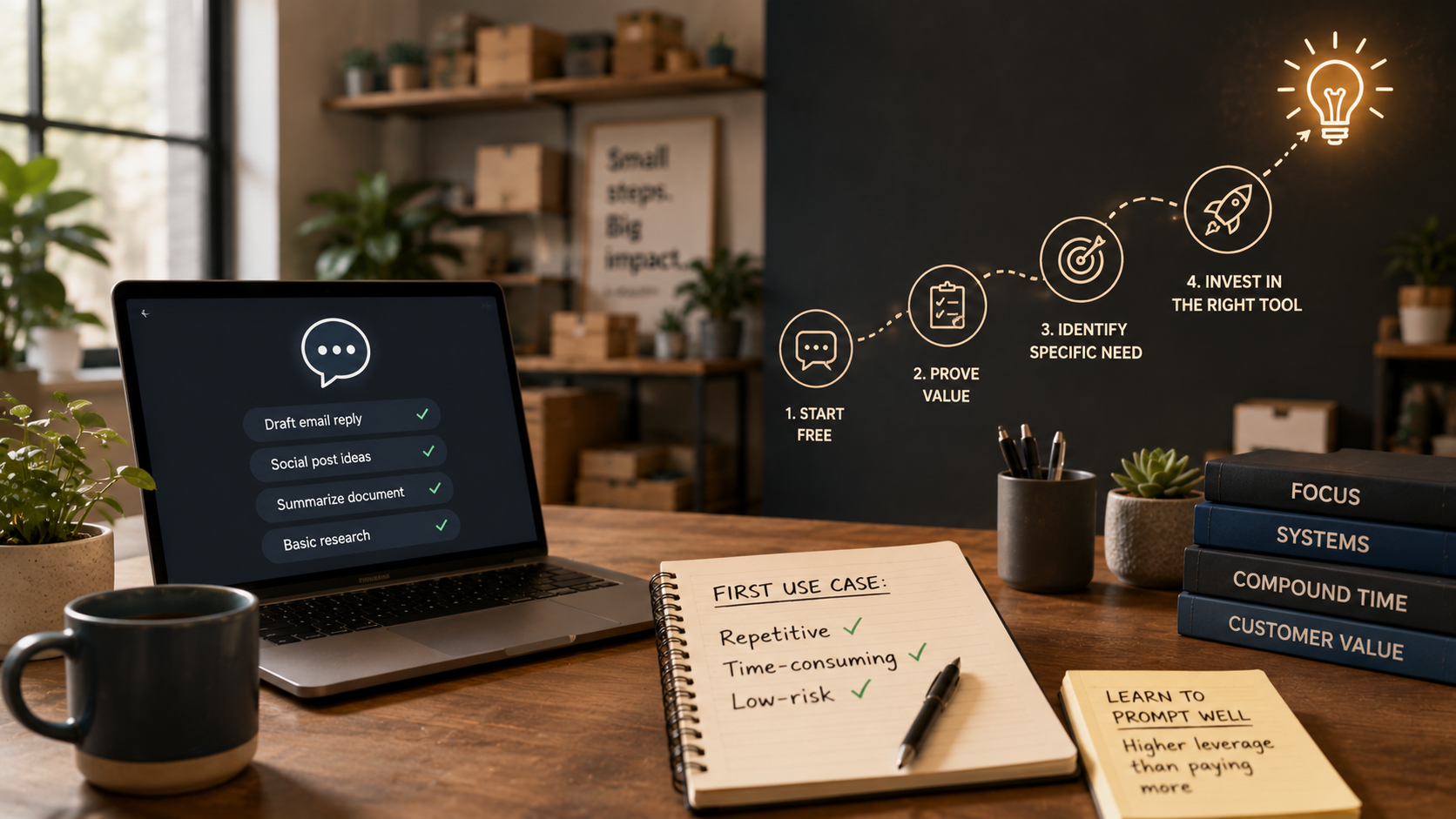
Key Takeaways
- A free general-purpose assistant often delivers more value to a small business than a specialized paid tool up front - it's flexible enough to prove the concept works before you spend anything.
- The right first use case is repetitive, time-consuming, and forgiving of the occasional mistake - not the process where a slip-up actually costs you something.
- Getting genuinely good at prompting pays off more than upgrading to a pricier tool while your prompts stay mediocre.
About this app
A limited budget doesn't shut the door on getting real value from AI - it just changes what the first step looks like. For a small business, the moves that actually pay off almost never involve an expensive niche tool, a hired consultant, or a rollout plan that spans months. They involve one carefully chosen, small task, and a free tool that's already more than capable of handling it.
Reach for a general-purpose assistant before anything specialized
A free or cheap general-purpose assistant already covers a surprising amount of small-business ground - drafting marketing copy, replying to customer emails, summarizing documents, quick research - well before you need anything built for a specific niche. The urge to go shopping for 'the AI tool for my industry' usually skips right past a cheaper, faster option: proving the underlying idea actually holds up using a tool you can open today, for free.
- Marketing copy: Social captions, product descriptions, email subject lines, and rough first drafts of promotional material.
- Customer replies: First-pass answers to common questions, which a person then checks and sends.
- Summarization: Boiling long documents, contracts, or meeting notes down into something short and actually usable.
- Basic research: A quick primer on a competitor, a market, or an unfamiliar topic ahead of a decision.
- Internal documentation: Turning process knowledge that only lives in one person's head into something written down.
Test the idea with a general tool first, and let an actual, well-understood need justify a specialized purchase later - not the reverse. Buying a niche AI product before you've pinned down exactly what problem it's solving is exactly how budget ends up sunk into a tool that sits unused a month later.
Picking a first use case that won't backfire
Choose the first task with care: repetitive, so the savings add up over time; time-consuming, so there's meaningful time on the table to save; and forgiving if the AI occasionally slips up, so an early mistake barely registers. Routine customer reply drafts or social post ideas fit that far better than financial reporting, legal wording, or anything customer-facing that skips a human review step.
| Task | Good first use case? | Why |
|---|---|---|
| Drafting social post ideas | Yes | Repetitive, low-risk, easy to review before posting |
| Customer reply drafts | Yes | Saves time on routine questions, human reviews before sending |
| Document summarization | Yes | Time-consuming manually, mistakes are easy to catch |
| Financial reporting | No | High stakes, errors are costly and hard to spot |
| Legal or compliance language | No | Requires accuracy the tool cannot guarantee |
| Unreviewed customer-facing replies | No | No safety net if the response is wrong or off-tone |
Marketing copy, customer-reply drafts you check before sending, research and summarization, and getting your own scattered know-how down in writing all live in that same low-risk, high-payoff zone. Each one gives you a quick, honest read on whether AI actually saves your specific business time, without putting anything important on the line.
The one investment that pays off more than any tool upgrade
The highest-leverage move available to a small business - and the one almost nobody bothers to make - is simply getting good at writing clear, structured prompts. It costs nothing but time, and it improves results across every free tool you're already using, which beats paying more for a shinier tool while your prompts stay just as weak.
- Context: What the business actually does and who the output is meant for.
- The specific task: Precisely what you want it to produce, spelled out instead of implied.
- Format: The length, tone, and structure the result needs to follow.
- Constraints: Anything the output has to avoid, or has to include.
- An example: A sample of the style or outcome you're going for, whenever you happen to have one.
That skill keeps paying off. A sharper prompt makes every future task better from that point forward, while a paid upgrade only improves the one narrow thing that tool specializes in. The real signal that it's time to look at a paid, specialized tool is finding a specific, recurring, high-value task the general assistant keeps handling clumsily - not just a hunch that AI seems like it should be useful somewhere.
A simple first-month plan
- Week 1: Pick one repetitive, low-stakes task and start running it through a free general-purpose assistant every day.
- Week 2: Spend an hour on basic prompt structure and rework your go-to prompts around it.
- Week 3: Get a rough read on how much time the task takes now versus before.
- Week 4: Decide whether to add a second use case, or whether a specific, real gap justifies paying for a dedicated tool.
None of this needs its own line item in the budget. It just takes choosing the right first task, sticking with it for a few consistent weeks, and actually noticing what saves time versus what just looks impressive. That's the entire starting point - anything more advanced can wait until the basics have already paid for themselves.
One Trap to Watch For: Tool-Hopping
New AI tools show up constantly, and a genuinely common trap for small businesses is subscribing to whatever specialized tool just got announced without ever finishing the evaluation of the last one. Each subscription is a small recurring charge on its own, but a pile of half-used tools quietly turns into a real line item with little to show for it. A better habit: give whatever you already have a full month of honest testing before you look at anything new, and cancel it if it hasn't clearly earned its keep by then instead of letting it auto-renew unnoticed.
Frequently Asked Questions
Is a free AI tool actually good enough for real business use?
For most starting use cases - drafting, summarizing, basic research - yes, the free tiers of the major general-purpose tools hold up fine. It's usage caps and advanced features, not baseline capability, that tend to become the real constraint as a business grows.
Does a small business need outside help just to get going?
Usually not, for the starting use cases covered here - they're simple enough to try directly without hiring anyone. Outside help earns its cost more once you're dealing with bigger, more technical integrations later on.