
You Zoned Out Halfway Through That Lecture? It Doesn't Have to Stay Lost
Here's a practical rundown of Voice Recorder - Sound Record, the bare-bones recorder app built for lectures, meetings, and the stray idea you don't want to lose.
Key Takeaways
- A single-purpose recorder often beats a feature-bloated one where it counts most: starting a recording instantly with no menu to dig through.
- How close the mic is and how noisy the room is shape usable quality far more than any setting in the app - keep the phone near the speaker and facing them.
- Rename and favorite a recording right after you stop it, while it's still fresh - a folder full of default timestamp names almost never gets revisited.
- This captures audio, it doesn't transcribe it - pair it with a separate transcription app if you need searchable text.
- Mentioning you're recording before a meeting costs nothing and heads off an awkward moment if someone notices unexpectedly.
In This Blog
- Where a Voice Recorder Actually Earns Its Keep
- Getting a recording that is actually usable afterward
- A realistic workflow for students and professionals
- What the quality setting actually changes
- How this compares to the alternatives
- Three common ways people actually use this
- Keeping recordings from piling up into chaos
- A word on recording other people
- When a recording does not turn out right
- Worth Knowing Going In
About this app
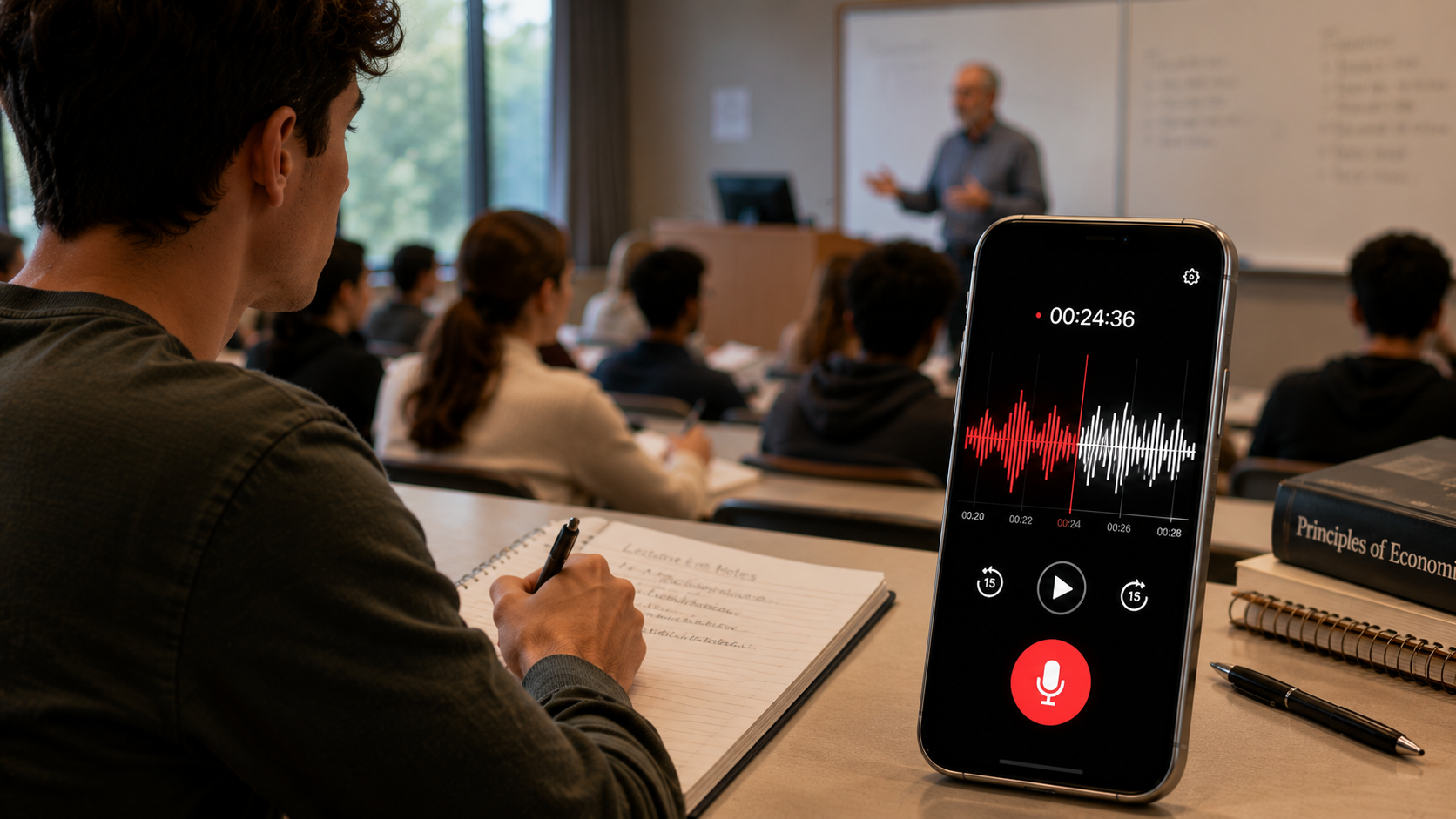
By around the twenty-minute mark of any lecture or meeting, focus starts to slip, and whatever was said during that lapse is gone for good unless something happened to be recording. This app makes no attempt at being a podcast studio, with effects and editing bolted on - it's a big record button, live sound waves so you can visually confirm it's picking up audio, and an automatic save the instant you stop. Tap it open, hit the button, talk, hit it again, done.
That stripped-down design isn't an accident, and it deserves more credit than it usually gets. Plenty of recording apps try cramming in transcription, cloud sync, noise-cancellation presets, and a dozen export formats, and what you're left with is an interface that has you thinking about the app instead of whatever you actually wanted to capture. A tool built around one job trades away that flexibility for something that matters far more in the moment: not having to dig through a settings menu while a professor is already three sentences past the point you needed.
Where a Voice Recorder Actually Earns Its Keep
- Recording with a single tap: one button starts it, the same button stops it - no menu-diving while somebody's mid-sentence.
- Playback you can actually control: play, pause, resume, or stop afterward, rather than being stuck with one uninterrupted playthrough.
- Favoriting the recordings that matter: flag the ones you'll need again - a specific meeting, a lecture right before an exam - so they don't disappear under everything else.
- Renaming and sending files: trade a meaningless timestamp for a name you'll actually recognize later, then fire it off to someone directly.
- Quality you can dial up or down: adjust it based on what your particular phone's microphone can realistically handle.
Getting a recording that is actually usable afterward
A recording existing and a recording you can actually make sense of three weeks from now are two different things, and the gap between them usually comes down to physical factors, not anything the app is doing.
- Distance counts for more than people usually assume - a phone buried in a bag or pocket during a lecture is going to capture muffled, unusable audio regardless of how good the app is. Set it on a desk facing the speaker, within a few meters if you can.
- Background noise stacks up over a long session. A faint AC hum or a side conversation that seems trivial in the moment can make a 45-minute recording exhausting to sit through later.
- Bumping up the quality setting means noticeably bigger files, which matters if you record long sessions often and storage is tight - worth comparing quality levels on your own phone rather than just defaulting to max every time.
- If you already know a room has rough acoustics - an echoey hall, a lecture theater with weak speakers - moving closer to the source does more good than any setting inside the app.
A realistic workflow for students and professionals
The recordings people actually go back and use are almost never the ones left sitting under a default timestamp name, buried three folders deep. Spending thirty extra seconds per recording adds up to a real difference over a semester or a busy quarter at work: rename the file the moment you stop, while it's still fresh in your memory, instead of betting that future-you will remember what "Recording_047" was about. Favorite anything that actually matters - an exam-prep lecture, a client call where something specific got promised out loud - so it doesn't get swept away in some future cleanup. And if you're recording the same class or meeting on repeat, a consistent naming pattern - a date plus a short topic tag - turns a pile of audio files into something searchable months down the line instead of a heap you'll never open again.
What the quality setting actually changes
Most recording apps hand you a quality slider with zero explanation, so people either crank it to max out of habit or never touch it at all. What it's really doing is adjusting the bitrate - how much audio data gets captured each second - where higher means clearer sound but also a bigger file. For plain spoken word, mid versus maximum settings often sound nearly identical to the ear, since speech doesn't demand the fidelity music does, but the file-size gap over a long recording can be substantial. A one-hour lecture at a lower setting might take up a fraction of the space that the same hour at max quality would, which matters if you're recording daily on a phone with limited room. Mid-range is a sensible default for spoken word, saving the top setting for situations where clarity genuinely outweighs file size - say, a recording you might need later as proof of exactly what was said.
How this compares to the alternatives
| Option | Ease of use | Audio quality | Best for |
|---|---|---|---|
| This app | One-tap, zero setup | Depends on phone mic | Lectures, meetings, quick voice notes |
| Phone's built-in recorder | Also generally simple | Similar, varies by phone | When installing another app isn't worth it |
| Dedicated recorder hardware | One more device to carry | Often meaningfully better | Journalism, music, professional audio |
| A transcription app | More setup, needs internet | Same underlying audio | When you need searchable text, not just audio |
For most people, the honest reason to pick a dedicated app like this one over the built-in option comes down to small conveniences - favoriting, renaming, playback controls that a bare-bones stock recorder often skips - rather than dramatically better sound, since your phone's hardware sets the real ceiling on audio quality no matter which app you use.
Three common ways people actually use this
What a voice recorder is actually worth to you depends heavily on who's using it, so it's worth figuring out which category fits, since that changes which habits are worth building around it.
- Students recording lectures: consistency is the name of the game here - same course, week after week - so a date-plus-subject naming pattern pays off massively by exam season, when you're trying to find week six's lecture on one topic without scrubbing through a dozen unlabeled files.
- Professionals logging calls or meetings: the priority tilts toward reliability and quick retrieval - favoriting a client call where something specific got promised out loud, so it survives a storage purge and can be pulled up if there's ever a dispute about what was actually agreed.
- Anyone chasing a fleeting idea: a random thought in the shower, a line for something you're writing, a reminder you'd rather not type while driving. Here, speed beats organization entirely - the one-tap start is the only feature that matters, since a good idea forgotten thirty seconds later while you hunt for the right app defeats the whole purpose.
Keeping recordings from piling up into chaos
Audio files are an odd kind of clutter - unlike a photo, you can't glance at a thumbnail and instantly know what's inside a recording, so an unmanaged folder of voice memos turns useless faster than almost any other file type on your phone. A bit of structure fixes that: export or back up anything you actually want to keep long-term to a cloud service or a computer periodically, since phone storage eventually fills up and old recordings are usually first in line to get quietly deleted for space. Get rid of recordings you know you'll never need within a day or two of making them, instead of letting stray voice memos pile up indefinitely. And for anything that really matters - a legal conversation, a class you can't afford to lose - treat the phone as a temporary stop, not the permanent home, and move a copy somewhere sturdier.
A word on recording other people
Worth pausing on this before it turns into an unthinking habit: the rules around recording someone else's voice without them knowing shift a lot depending on where you are and the situation - a public lecture is treated very differently from a private one-on-one chat. Saying "I'm going to record this" before a call or meeting costs nothing, and it heads off an awkward moment later if someone notices and wasn't expecting it. Lectures and classes rarely raise an issue here, but for meetings touching on other people's private conversations, being upfront beats assuming it's automatically fine.
When a recording does not turn out right
Nearly every disappointing recording traces back to one of a handful of causes, and most of them are avoidable once you know what to watch for. Inaudible or barely-there playback almost always means the phone was too far from whoever was speaking, or muffled inside a bag - no software trick fully rescues audio that was never properly captured to begin with, which is exactly why getting the phone's position right at the start beats fiddling with any setting. If a recording seems to cut off midway, check whether the phone dropped into an aggressive battery-saver mode during a long session, since some phones pause background processes they've decided aren't essential. And a file that won't play at all is usually a storage problem - either the phone ran out of space mid-recording, or the recording got cut short by the app being force-closed instead of stopped properly, which is one more reason to always hit stop rather than just swiping the app away.
Worth Knowing Going In
It's free, ad-supported with some in-app purchases, rated for all ages, and holding a solid 4.1 from reviewers - a decent showing for a single-purpose tool. One caveat the developer doesn't hide: audio quality depends entirely on your phone's microphone, so no app setting rescues a mediocre mic, and this isn't a transcription tool - it captures sound, full stop, no text conversion involved. Whether you're a student recording lectures, a professional logging client calls, or someone who's had a good idea in the shower and needed to say it out loud before it evaporated, a voice recorder earns a spot on your phone by doing exactly one thing and staying out of your way while it does it.
If you eventually need that audio turned into searchable text, the smarter move is keeping this app strictly for capture and pairing it with a dedicated transcription tool afterward, rather than hoping one app nails both jobs. Recording and transcription are genuinely separate technical problems, and apps trying to do both at once frequently handle the actual recording worse than something built to focus on just that.
None of this is fancy technology, and that's really the whole point. The tools that hold up best on a phone are often the ones that refuse to do more than they need to, and a recorder that starts instantly, saves itself automatically, and disappears into the background is worth more in the moment that counts than a feature-packed alternative asking you to fiddle with settings while someone's already three sentences past the thing you needed to catch.
Frequently Asked Questions
Does this app work if my phone screen is locked or the app is in the background?
Most apps in this category keep recording in the background once you've started it, though the exact behavior can vary by phone manufacturer and battery-optimization settings - worth a quick test recording on your own device before you rely on it for something that matters.
Can I edit or trim a recording after saving it?
This app sticks to simple capture and playback rather than editing - trimming or combining clips means exporting the file and using a separate audio editor.
Where are recordings actually saved on my phone?
They typically land in local device storage inside an app-specific folder, which your phone's file manager can usually browse if you need to move, back up, or share a file manually outside the app.
Will recording drain my battery quickly?
A long recording session does pull noticeably more battery than the phone sitting idle, comparable to a lengthy phone call - for an all-day recording, starting on a full charge or keeping a charger handy is a smart move.
Is it legal to record a lecture or meeting?
That depends on your location and the context - a public lecture is generally treated very differently from a private conversation between individuals. When you're unsure, just mentioning you plan to record clears up any ambiguity.
What audio format does it save recordings in?
Apps in this category typically use a compressed audio format meant for spoken word, keeping file sizes manageable for long sessions while staying widely compatible with other apps and devices if you ever need to share or move a file.
Can I record while another app, like a video call, is also using the microphone?
It depends on your phone and the other app in question - some platforms only let one app access the mic at a time, so starting a recording could interrupt the other app's audio, or the reverse. Worth testing that combination once somewhere low-stakes before counting on it for something important.