
Public Wi-Fi: How Risky Is It, Really? Here's What a VPN Proxy Actually Covers
VPN Proxy - Fast & Secure locks down your connection and lets you hop between server locations. Here's what that actually shields you from, and what to look for before you trust any free VPN.
Key Takeaways
- A VPN keeps your traffic hidden from the local network and your internet provider - but it doesn't make you anonymous to sites you're already logged into.
- A "no-logs" claim carries far more weight once it has been independently audited rather than simply written into marketing copy.
- Free VPNs still have to make money somehow - worth a few minutes figuring out if that's ads, data insights, or an upsell before you trust one with sensitive traffic.
- The everyday use case is exactly what it sounds like: encrypting your connection on public Wi-Fi, not dodging serious surveillance.
Get this app
About this app
Airport Wi-Fi. The coffee shop network. That hotel connection that makes you click through three consent screens before you're actually online. None of it belongs to you, and none of it is truly private, password or no password.
What a VPN Proxy Is Actually Doing
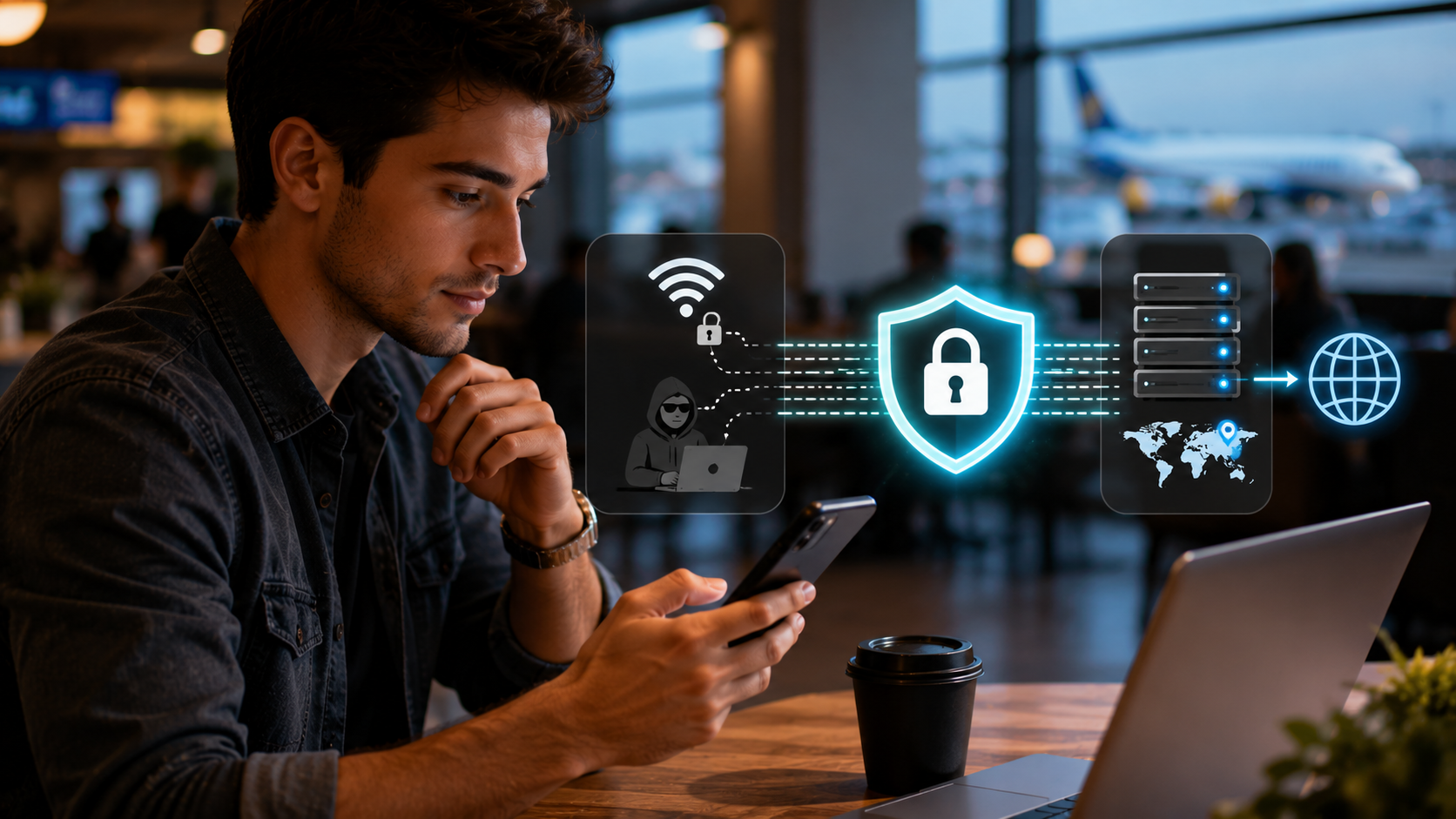
Cut through the marketing and a VPN proxy really only does one thing: it wraps the connection between your phone and the internet in encryption, then routes everything through a server somewhere else first. Practically, that means whoever operates the Wi-Fi you're connected to - or anyone eavesdropping on it - sees encrypted traffic heading to a VPN server, not a plain-text list of every site you visit. And the site on the other end sees the VPN server's location, not yours.
What It's Actually Good For
- Changing where you appear to be browsing from: connect through a server in another country and the internet treats you as if you're there - handy for content that's geo-blocked in your actual location.
- Locking down sessions on public Wi-Fi: switch the VPN on before you join airport or cafe Wi-Fi so your traffic isn't just sitting out in the open for other people on the network.
- Watching your connection speed live: the built-in speed monitor shows whether a given server can actually handle streaming before you settle on it.
- Switching servers without a data penalty: there's no separate cap layered on top of the VPN, so hopping between servers doesn't cost you extra data.
What a VPN Does Not Protect You From
It pays to be honest about the boundaries here, since VPN marketing loves to gloss over them. Yes, a VPN encrypts your connection and hides your traffic from the local network and your ISP - but it does absolutely nothing about a site that already knows exactly who you are because you just logged in. Your bank still recognizes you, and so does every other site you sign into, VPN active or not. It also won't stop malware that's already on your phone, won't catch a phishing link tricking you into typing your password into a fake page, and won't save a weak, reused password that leaks in some unrelated breach. Think of it as one piece of a bigger security habit, not a cure-all.
A quick way to size up any free VPN, not just this one
- See if the provider claims a "no-logs" policy, and more importantly, whether an independent audit has ever backed that claim up - an unaudited promise is worth a lot less than a verified one.
- Take a look at what permissions the app actually asks for at install. Routing your traffic doesn't require access to your contacts or your photo gallery, so if it's asking, that's a red flag.
- Free VPNs have to make money somewhere - ads, selling data insights, or pushing a paid tier - so figure out which one applies before assuming a free service truly costs you nothing.
- A visible speed test before you pick a server, which this app has, is a genuinely reassuring sign - it means you're not choosing blind.
What to Actually Check Before You Trust It
Every security writer will tell you the same thing about free VPNs, and it holds true here as well: a VPN doesn't eliminate trust from the equation, it just relocates it - from your Wi-Fi provider to whoever runs the VPN. This particular app is free, ad-supported, and offers in-app purchases (likely for extra servers or removing ads), with an all-ages rating and nothing objectionable in its content. But "free VPN" and "no catch whatsoever" aren't the same claim, so it's worth actually reading what data the app collects before you route something sensitive, like banking, through it. That said, for the everyday goal of keeping the coffee shop's Wi-Fi from seeing everything you do, encrypting your connection and choosing your server location covers the real threat most people actually face.
When a VPN Genuinely Matters vs. When It Is Overkill
| Situation | Does a VPN help? |
|---|---|
| Browsing on airport, cafe, or hotel Wi-Fi | Yes - this is exactly the scenario it protects against |
| Streaming or browsing at home on your own Wi-Fi | Marginal - your home network is already yours and private |
| Logging into your bank from any network | Hides the traffic in transit, though the bank still recognizes you |
| Trying to dodge cookie- or fingerprint-based tracking | No - that's a browser-level problem a VPN doesn't touch |
If one habit is worth taking away from all this, it's flipping the VPN on automatically the moment you join a network you don't control, instead of waiting until something feels sketchy to remember it exists. Most people's real exposure comes from the networks they think about the least - the same coffee shop Wi-Fi they use every week, not some cinematic hacking scene. Treat any Wi-Fi outside your home or office as public by default, make switching the VPN on a reflex rather than a special-occasion decision, and you'll have closed most of the realistic gap an everyday user actually faces, without having to think hard about it each time.
Frequently Asked Questions
Does using a VPN make me completely anonymous online?
No. A VPN hides your traffic from your local network and your internet provider and masks where you appear to be browsing from, but any site you log into still knows it's you, and tracking methods like browser fingerprinting go on working regardless of a VPN.
Is it safe to do online banking over a VPN on public Wi-Fi?
A VPN does add a genuine layer of protection against someone else snooping on that same public network, but it's still worth checking that the banking site itself is on HTTPS (look for the padlock) and that you actually trust the VPN provider, since your traffic passes through their servers instead.
Why would a VPN be slower than my normal connection?
Sending traffic through an extra server before it reaches its destination adds distance and processing overhead, so a bit of speed loss is expected. A server that's geographically closer to you, or simply less crowded, usually performs noticeably better than a distant or overloaded one.